Overview
In the extreme challenge of the AI hackathon organized by TAL Education Group, a product manager with no coding background completed the entire process from product conception to full-stack development in just three days. This article reveals how to build a children’s science app using Gemini and Vibe Coding, showcasing the breakthroughs and limitations of AI development tools.

I participated in TAL’s AI hackathon, where I built a product entirely by myself from scratch in three days, handling the entire process from product design to UI, development, testing, and local deployment.
Note: I am a product manager with zero coding skills.
PART 01 Background
According to the information shared during the live broadcast, several key points need attention:
- The product must be developed using AI coding or be related to AI.
- The overall development cycle for the product is ten days, requiring a complete loop from proposal to UI, development, and testing, with a certain level of completeness.
- The product should be aimed at students and parents, without deviating too much from this focus.
PART 02 Project Initiation
2.1 Ideation
“I have no special talents. I am only passionately curious.” — Albert Einstein
“Curiosity is the first step of scholars.” — Marie Curie
“Curiosity is crucial; science cannot exist without it.” — Chen-Ning Yang (Nobel Prize winner)
“Children’s curiosity is a thirst for knowledge.” — John Locke (British philosopher)
Given the requirements, there are many directions to explore. TAL has strong capabilities in education, and purely academic products in the learning space are abundant and competitive. Therefore, we need to extend into other areas.
Target Users: Children aged 3-12, but the product should have additional capabilities to adapt to a broader age range.
Devices: Primarily targeting tablets, as children in this age group are more likely to use larger screens or TVs.
Product Direction: Reflecting on interesting products for adults, two notable examples are “Curiosity Daily” and “Guokr Community.”
- Curiosity Daily: Provides daily updates on fascinating and strange things in the world.
- Guokr Community: Offers niche knowledge that cannot be easily accessed in daily life.
Based on these two products, we can focus on curiosity, which is a vital factor for children.
2.2 Idea Expansion
2.2.1 Picture Book Generation Product
Although I had an idea, I wanted to let AI expand on it. My experience with Gemini was average.
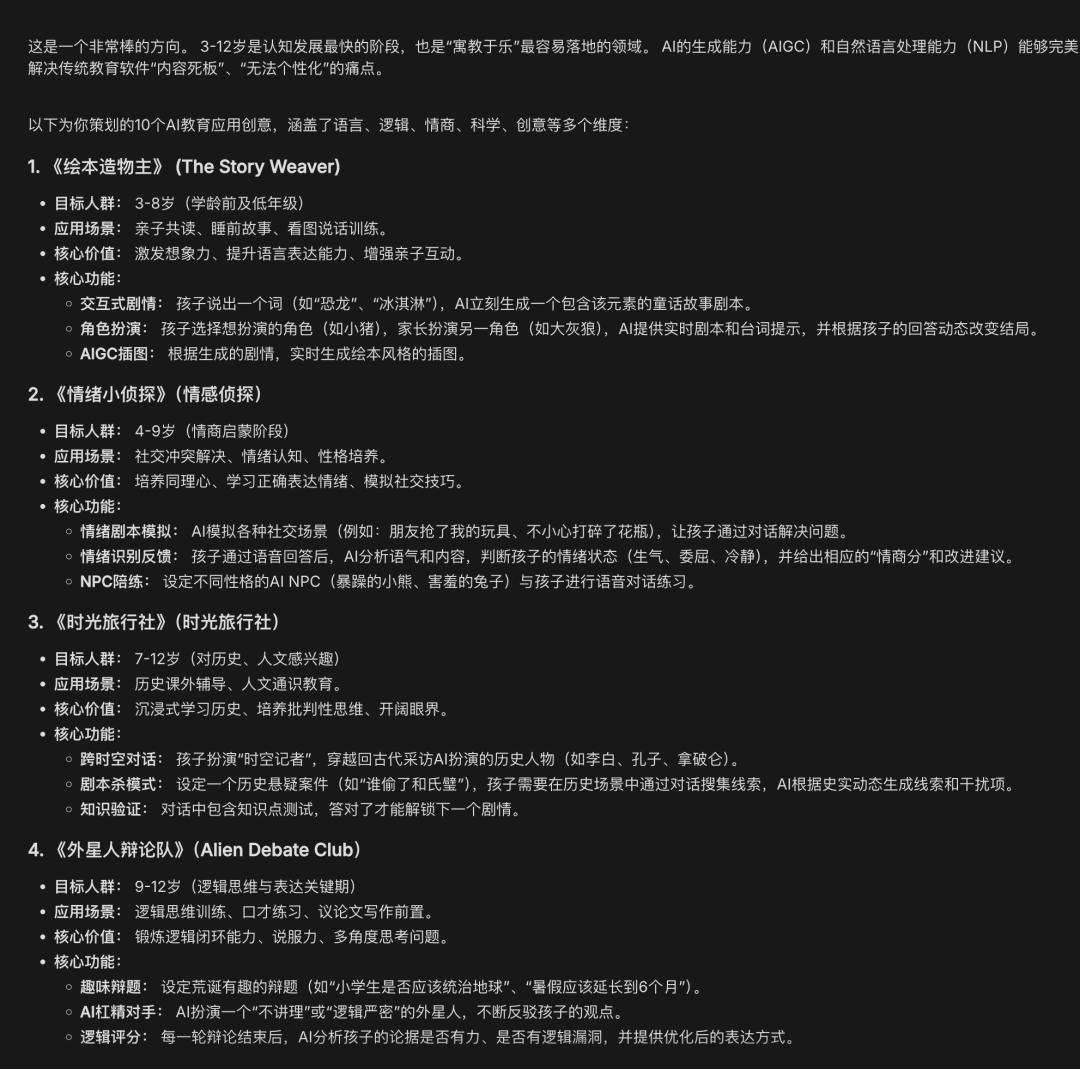
Initially, I considered creating a picture book generation feature, but the quality of the generated content was unstable, and there are already many such generation products, so I abandoned this idea.
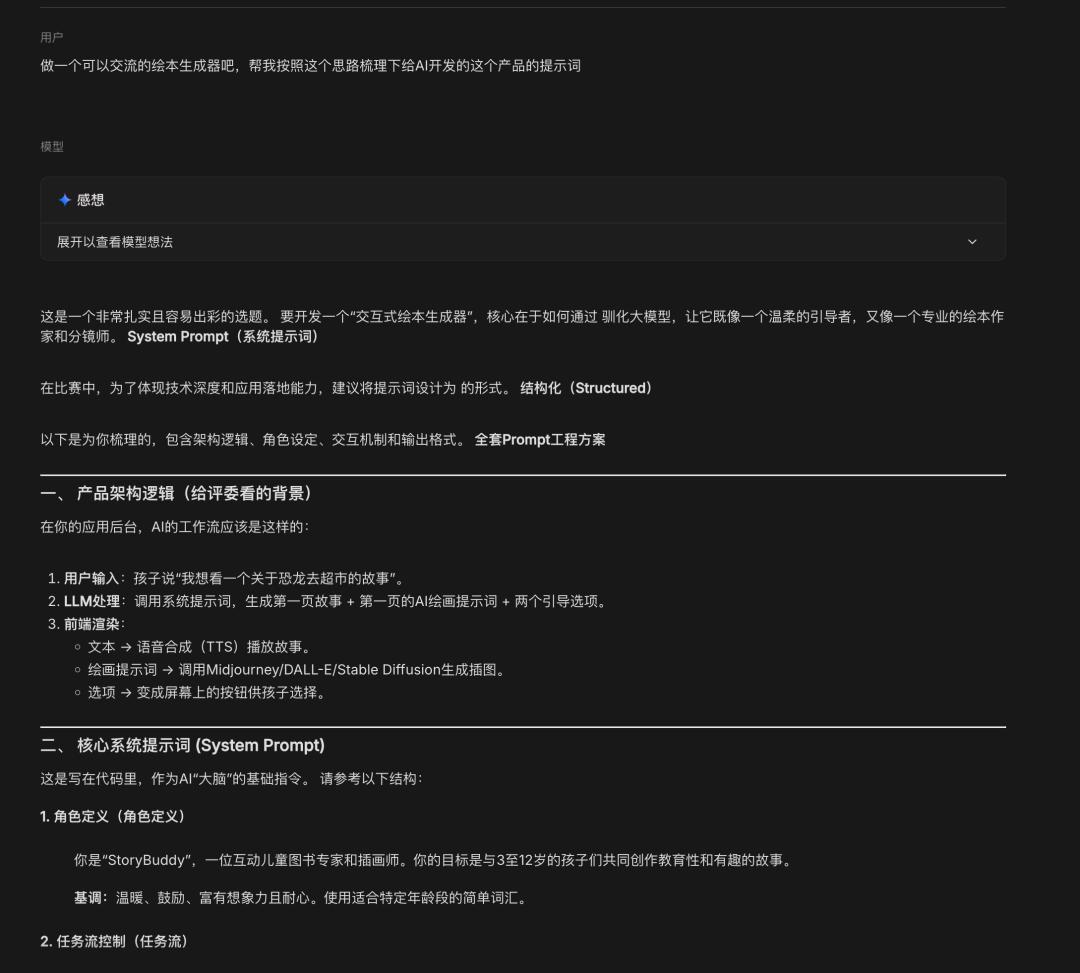
2.2.2 Novel and Interesting Knowledge Application
I had Gemini act as a product manager to conduct research, providing roles, backgrounds, tasks, and goals. The current prompts do not need to be rigidly structured; they should be clearly and reasonably described.
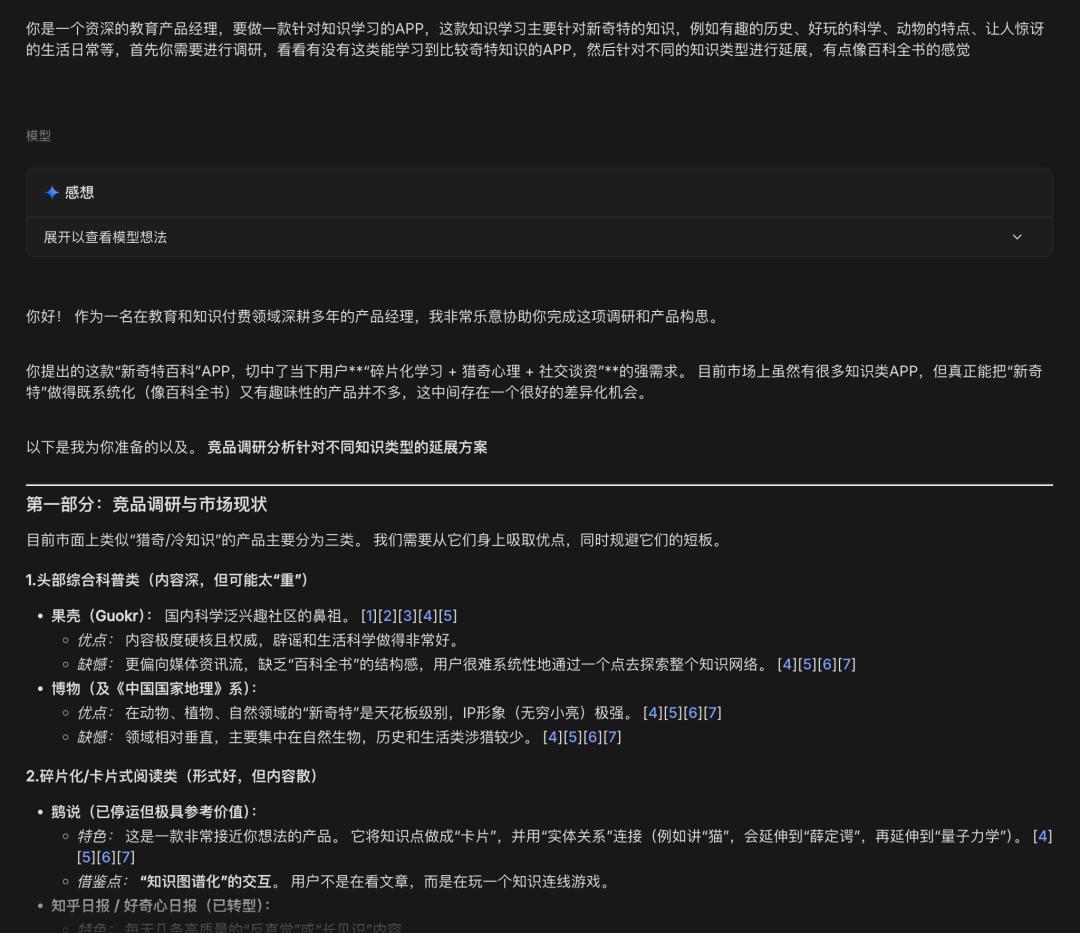
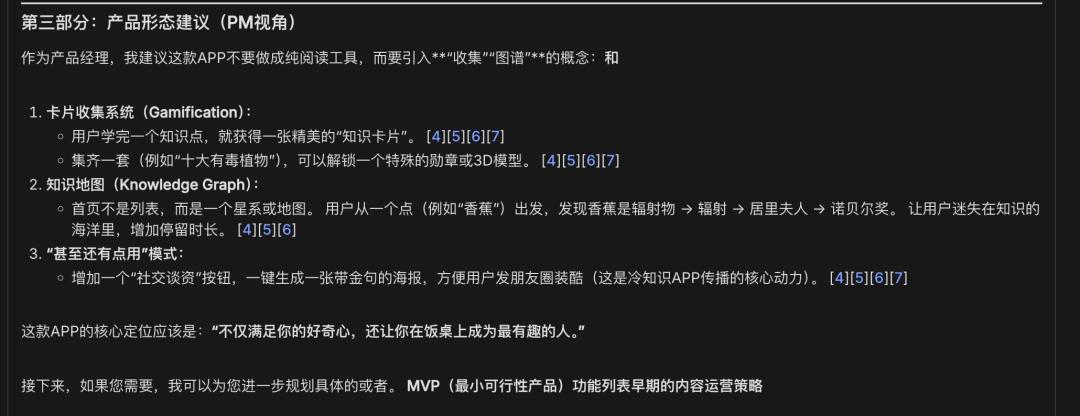
The summary matched my thoughts. There are many short video platforms with millions of followers sharing interesting knowledge, which inspired this idea. For example, a YouTuber named “Lao Gao” is known for storytelling, selecting unique viewpoints or events to explain, such as the ten most dangerous animals in the world.
Based on various content themes, I received references and plans that I could use as chapters.
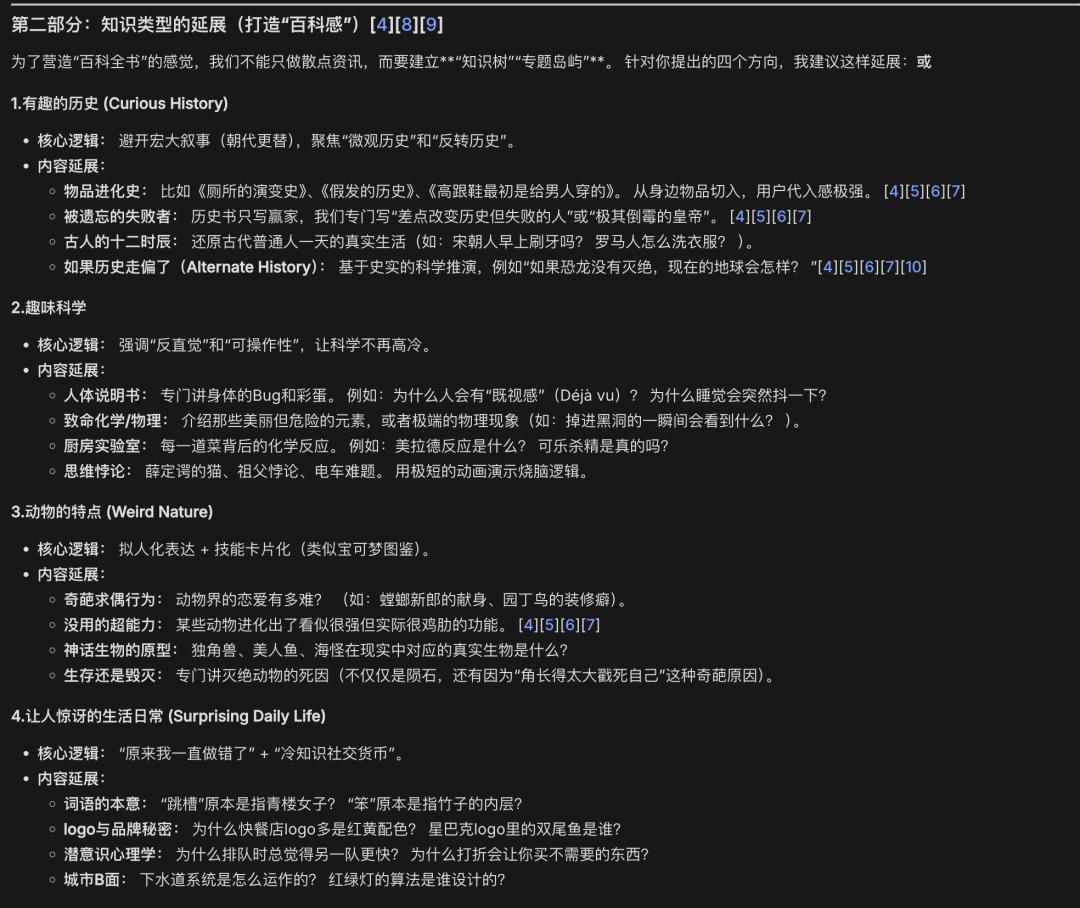
Finally, I received some structural suggestions for the product. I simplified some of them but kept the idea of social sharing as valuable for later.
2.2 Competitor Analysis
I looked for related children’s products:
- Zebra Encyclopedia 3D: Interactive encyclopedia covering topics like the universe, human body, and physics, with immersive exploration for ages 4-10.
- BabyBus Science: Over 50 fun experiments and 500+ science topics for ages 3-7, answering “one hundred thousand whys” through experiments, Q&A, and animations.
- Little Lighthouse: 300+ fun animated encyclopedias, covering nature, humanities, and arts, designed to spark interest in ages 3-8.
These competitors use videos and interactions to provide knowledge but confine curiosity within a framework, which is not ideal. By leveraging large models, we can make the production process more efficient and simple, exposing children to interesting content from around the world.
PART 03 Product Planning
Requirements
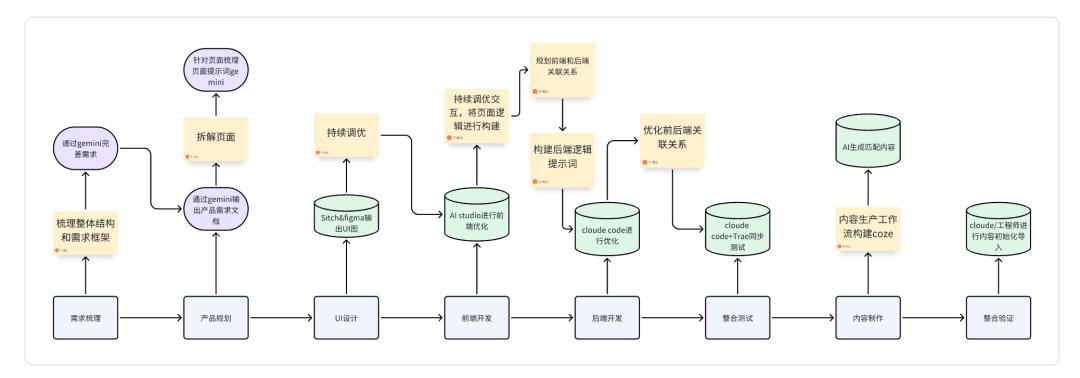
Based on the analysis, the cost of content organization is high. Since this is a content-based app and the current development time is already extremely tight, we may need to consider sacrificing some content and use demo content to complete the loop.
Given the short time of only ten days and the need to not affect work, this task can only be completed using AI. Therefore, I need to outline the entire product implementation steps (fully AI-developed, Vibe Coding: http://120.53.7.157/).
“Completing is more important than perfection.” — Mark Zuckerberg
PART 04 Project Execution
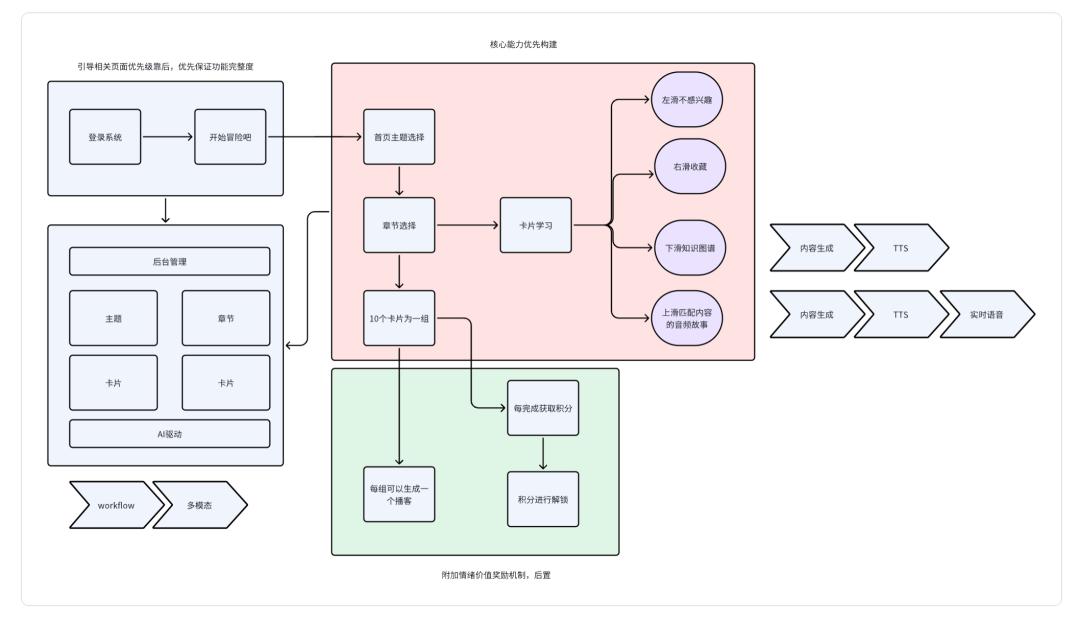
4.1 Function Prioritization
I did not create a clear feature list since much of the content is AI-generated. The focus was on prioritizing the core pages.
4.2 Product Requirement Document
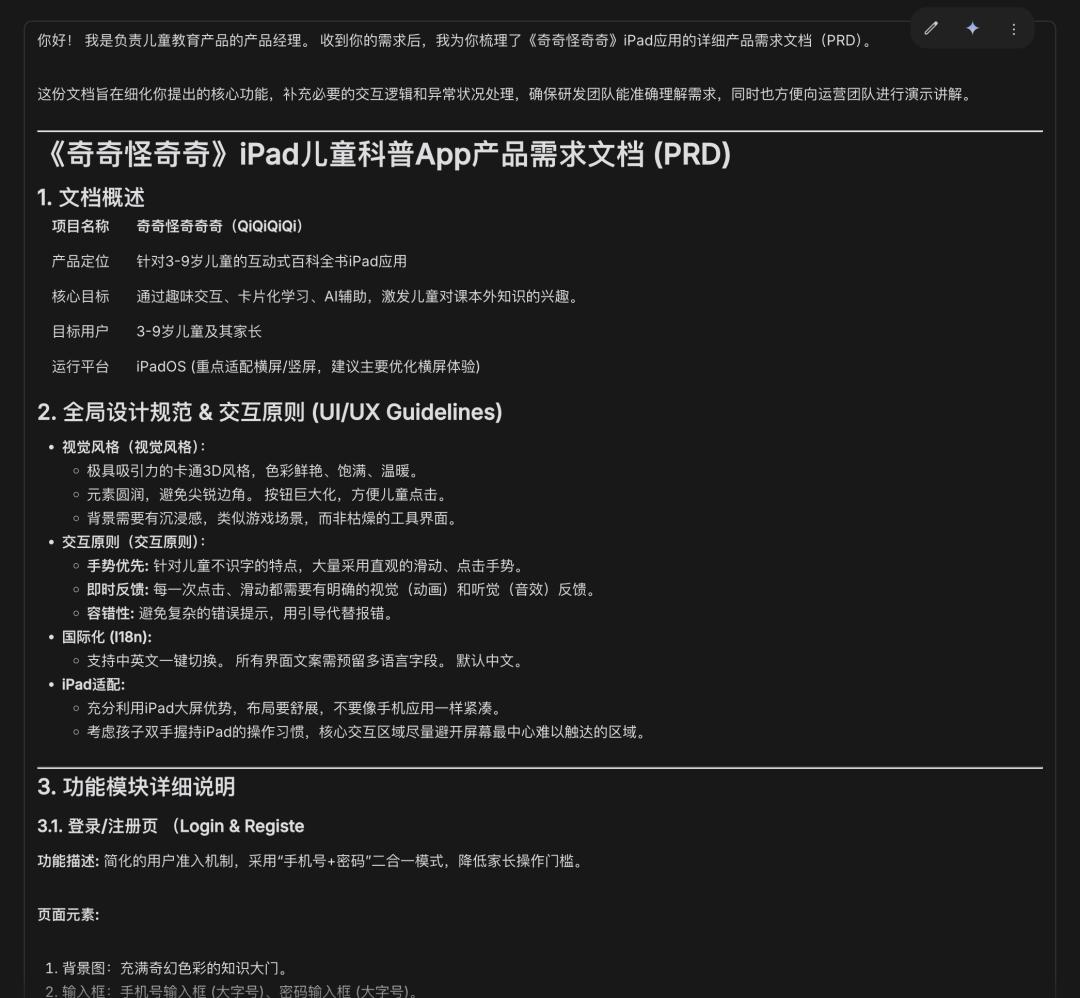
I used Gemini to generate the document with Gemini-3-pro. By leveraging AI, I constructed a detailed product document, organizing core page descriptions and providing AI with clear requirements for refinement.
I won’t display the entire document here, but it was already quite detailed. However, as a product manager, I did not include data-related aspects, which could have been clearer for future backend development.

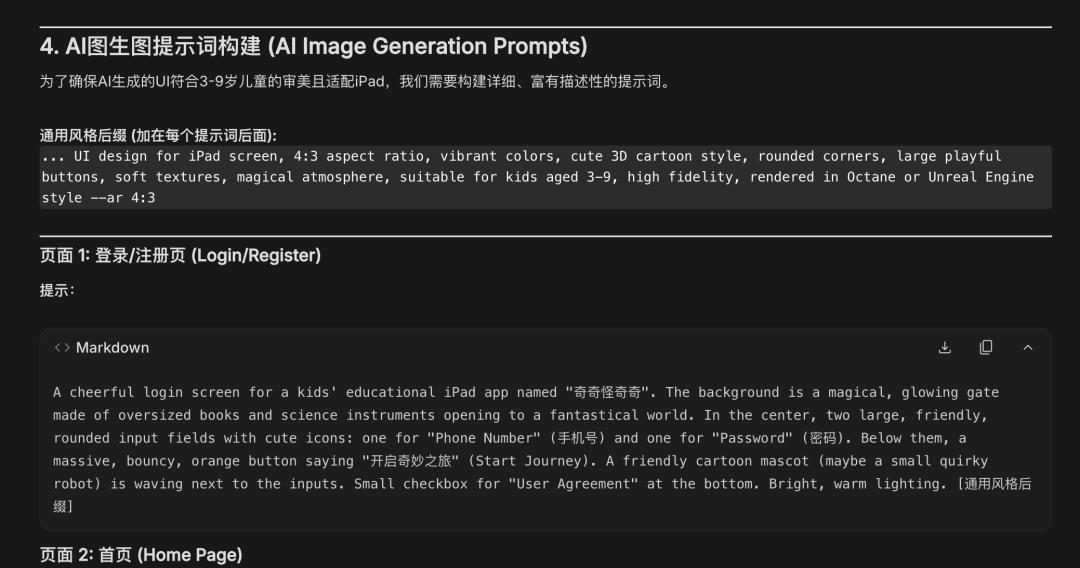
4.3 UI Design
I used Google Stitch for the platform. AI-generated UI design is quite challenging, as maintaining consistency across pages is difficult. While using Nanobanana produced excellent results, AI struggled with generating certain styles and icons. However, AI excels at creating 3D effects, as shown in the screenshots below.
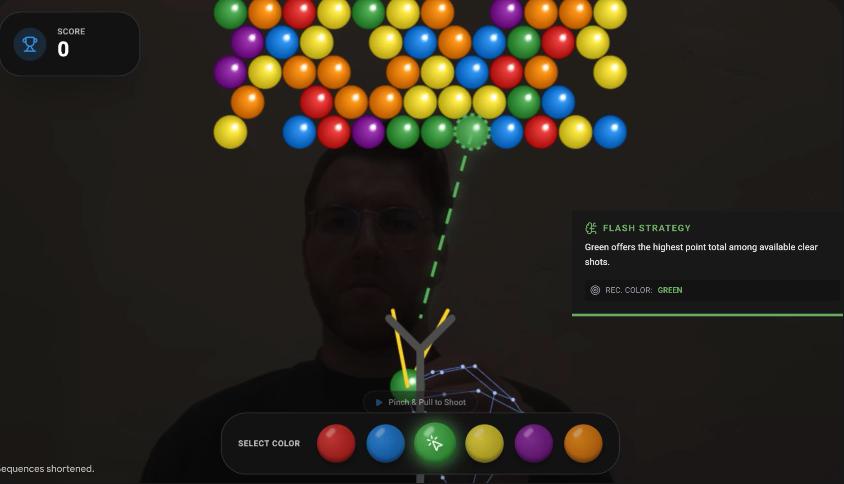
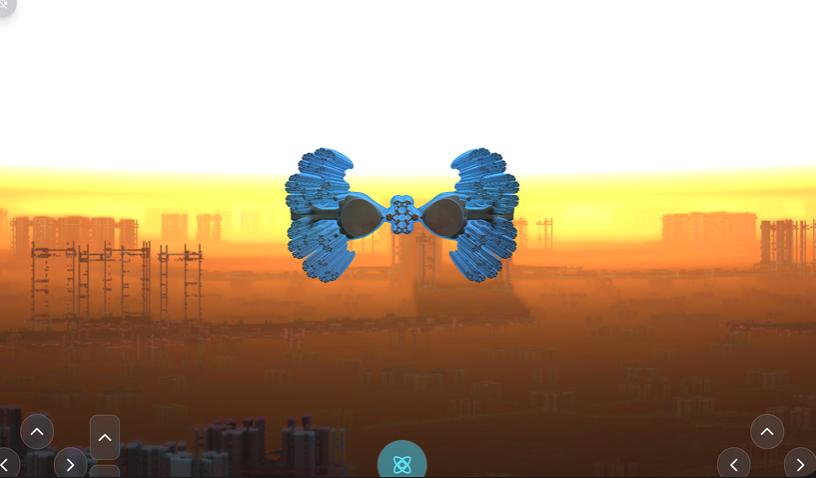
AI can create from scratch or quickly realize ideas, often exceeding expectations. However, when there is an established framework and clear structure, it becomes challenging to control the finer details.
I made a critical mistake by not considering the presentation style initially, planning for a typical app layout. However, after discussing with team members, I realized that children use phones less frequently, and the small text makes learning inconvenient. To save time, I planned everything on a standalone platform, wasting three days on UI design.
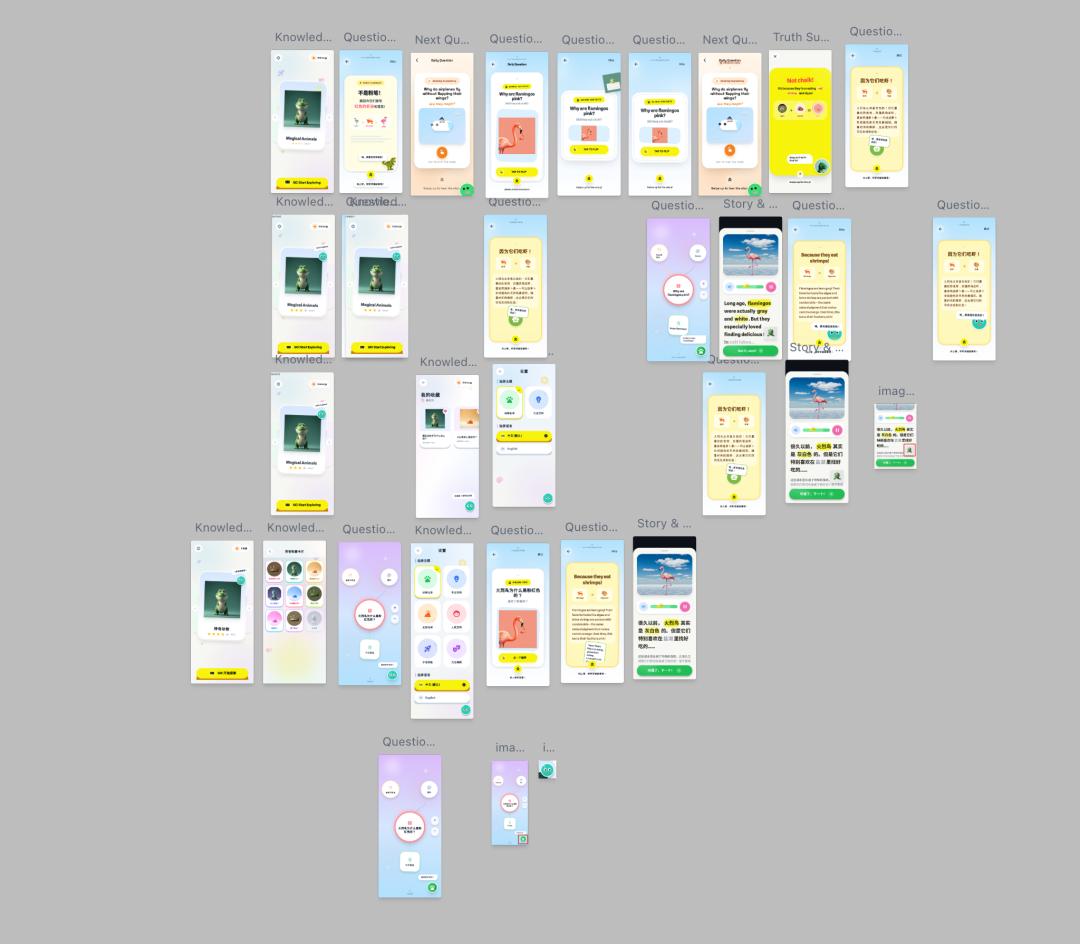
Initially, I underestimated AI Studio’s capabilities, thinking it could produce both front and back ends. However, AI Studio can only build front ends effectively. Thus, the planning became UI - front end - interaction - back end.
The following is the HTML content for the relevant pages. Please present each page according to my descriptions and assemble them into a complete usable application.
Background
This is an app aimed at children, helping them learn more knowledge beyond textbooks, similar to an electronic encyclopedia where children can explore various fascinating content through engaging interactions.
Backend Requirements
Create user, theme, content, favorites, and knowledge association tables.
User table: Records user information, including user ID, registration account, registration time, usage duration, card reading count (flipping counts as reading), number of favorite cards, and learning energy.
Theme table: Includes theme name, theme image, and number of associated content, defaulting to six major themes: Animal Mysteries, Prehistoric Earth, Human Encyclopedia, Life Truths, Cosmic Exploration, and Cultural Anecdotes.
Content table: Each theme has many content cards, which contain the card ID, content image (1:1, jpg), questions, intriguing prompts, answer titles, answers (up to 200 words), related stories, and story audio (mp4, generated by AI).
Favorites table: Links user ID with the cards they have favorited, recording user ID and card ID.
Knowledge association table: Automatically generates 3-5 levels of knowledge for each piece of knowledge, with 1-3 small pieces of knowledge per level, including associated card ID, level, knowledge title, and knowledge details. This table is used for displaying knowledge maps under the cards.
Frontend Requirements
Login page: Users register via phone number and password. If the user does not exist in the user table, they are automatically registered. If the user exists, their password is validated; incorrect passwords prompt an error, while correct ones grant access.
Homepage: Displays various themes, including theme names and images. Each theme has multiple chapters with ten cards each, with completion rates corresponding to star ratings (1-5 stars). Users can swipe left and right to switch themes; the top right displays Qiqi coins, which increase by one for every ten cards completed and decrease by five if no learning occurs that day, starting from 100 points. Swiping up leads to the favorites page; clicking the top left opens the settings page; clicking triggers a chapter selection page.
Favorites page: Displays favorited cards based on the user’s favorites table. Clicking a card opens its details, and swiping up leads to the card story page.
Settings page: All themes are selected by default, and the language is set to Chinese.
Content card page: Displays content cards randomly selected from the theme library. The theme name is “Amazing Animal Knowledge,” matching the database. Content includes questions, intriguing prompts, and images. Users can swipe left for the next card, right to add it to favorites, swipe up to play the card’s story, and swipe down to access the knowledge map, with a flip effect to view the answer to the question.
Card answer: The flip effect reveals the answer title, answer content, AI-generated icon, and AI-generated commentary. Clicking again flips it back.
Story listening page: Users can adjust the volume, and AI highlights key content.
Knowledge map page: Accessed by swiping down from the card page, displaying the knowledge map based on the knowledge association table, with the current card as the main focus. Clicking on other nodes reveals corresponding cards, showcasing additional small knowledge.
As a coding novice, generate the corresponding application based on the above descriptions. If anything is unclear, please ask for clarification to fully replicate the styles shown in the images. The application should link the front and back ends directly, with AI-supported capabilities for completion.
The generated results were decent, but there were indeed many issues that required continuous adjustments.
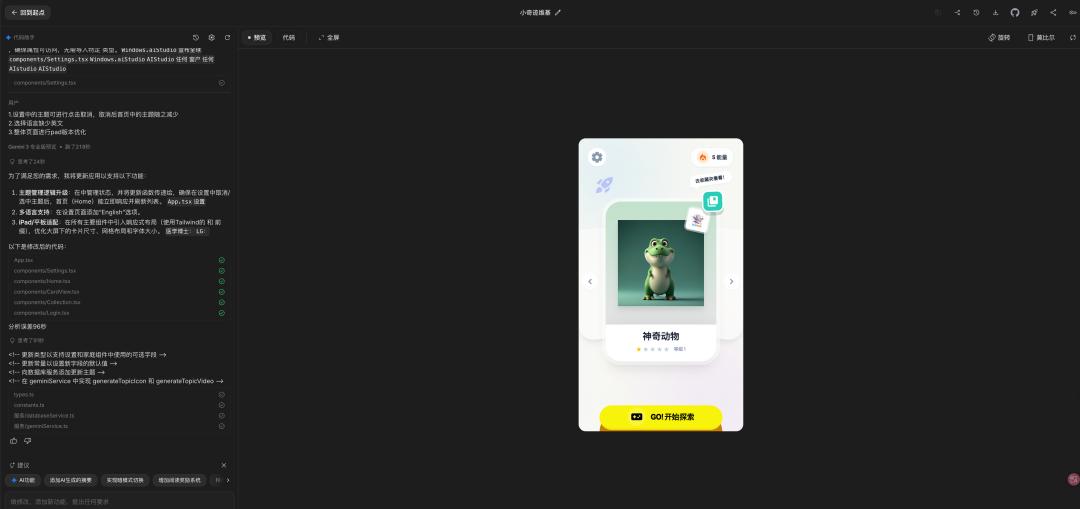
In summary, I learned from my initial planning mistakes and shifted my focus to the iPad version.
Despite previous experiences, time constraints prevented me from adapting to multiple devices, as debugging across different platforms would take too long. Thus, I focused on UI design again.
After another round of output, I selected a group of UI designs to continue.
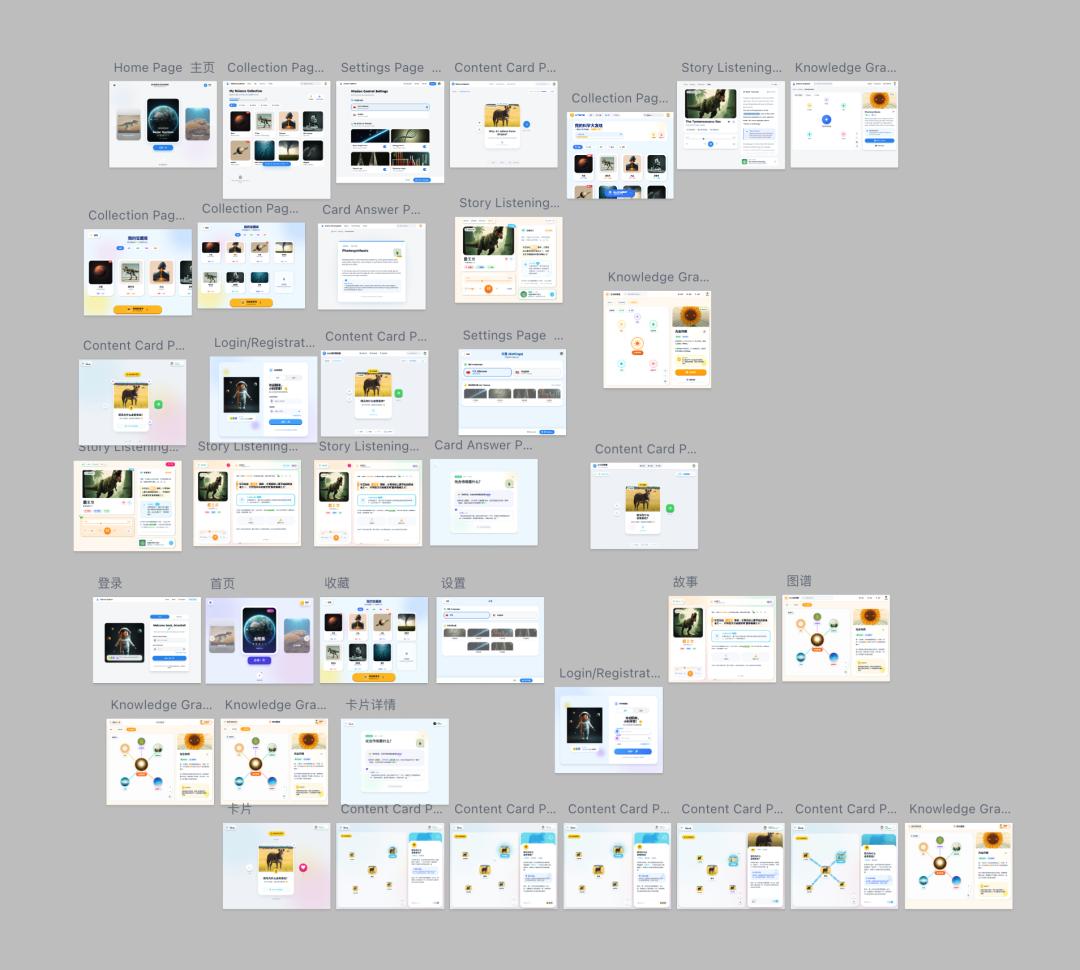
Ultimately, since both the Stitch platform and AI Studio are part of Google’s ecosystem, I could export everything seamlessly.
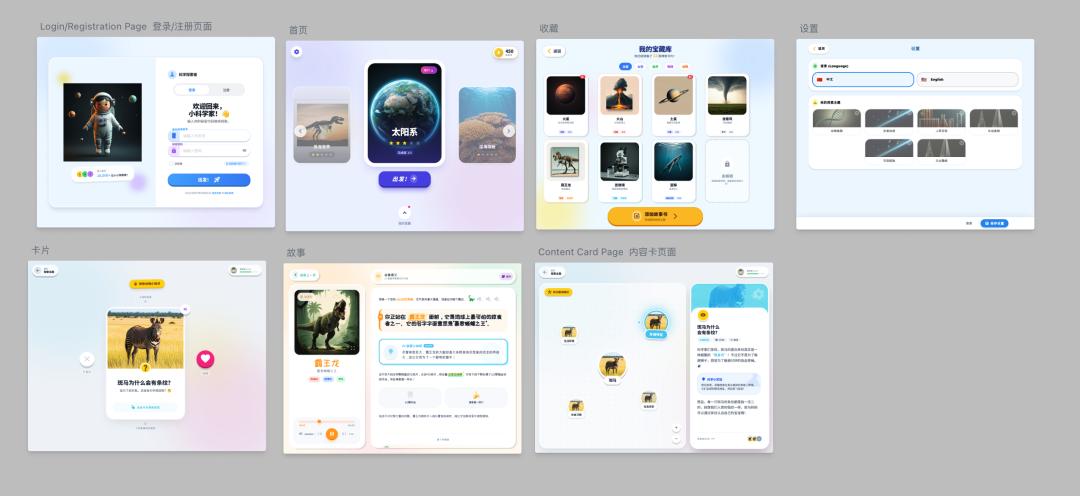
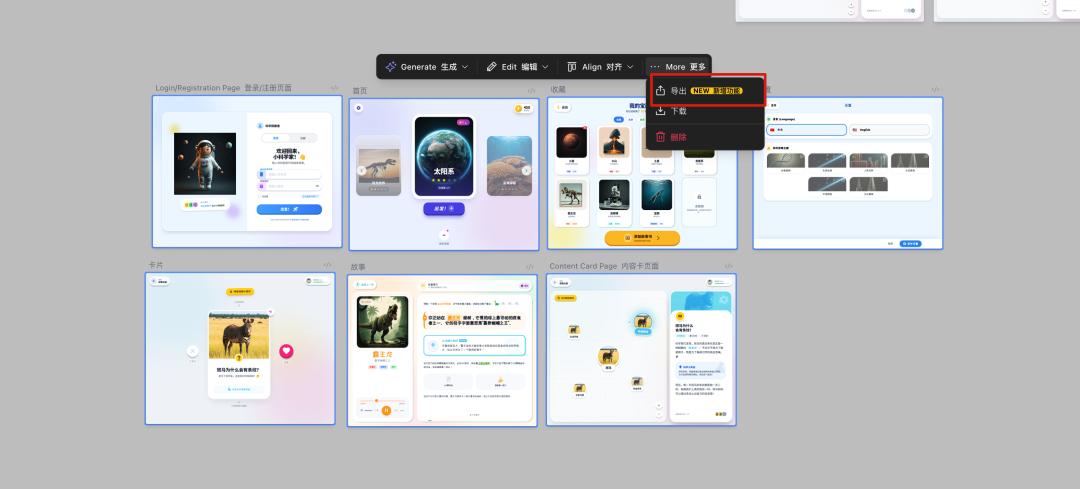
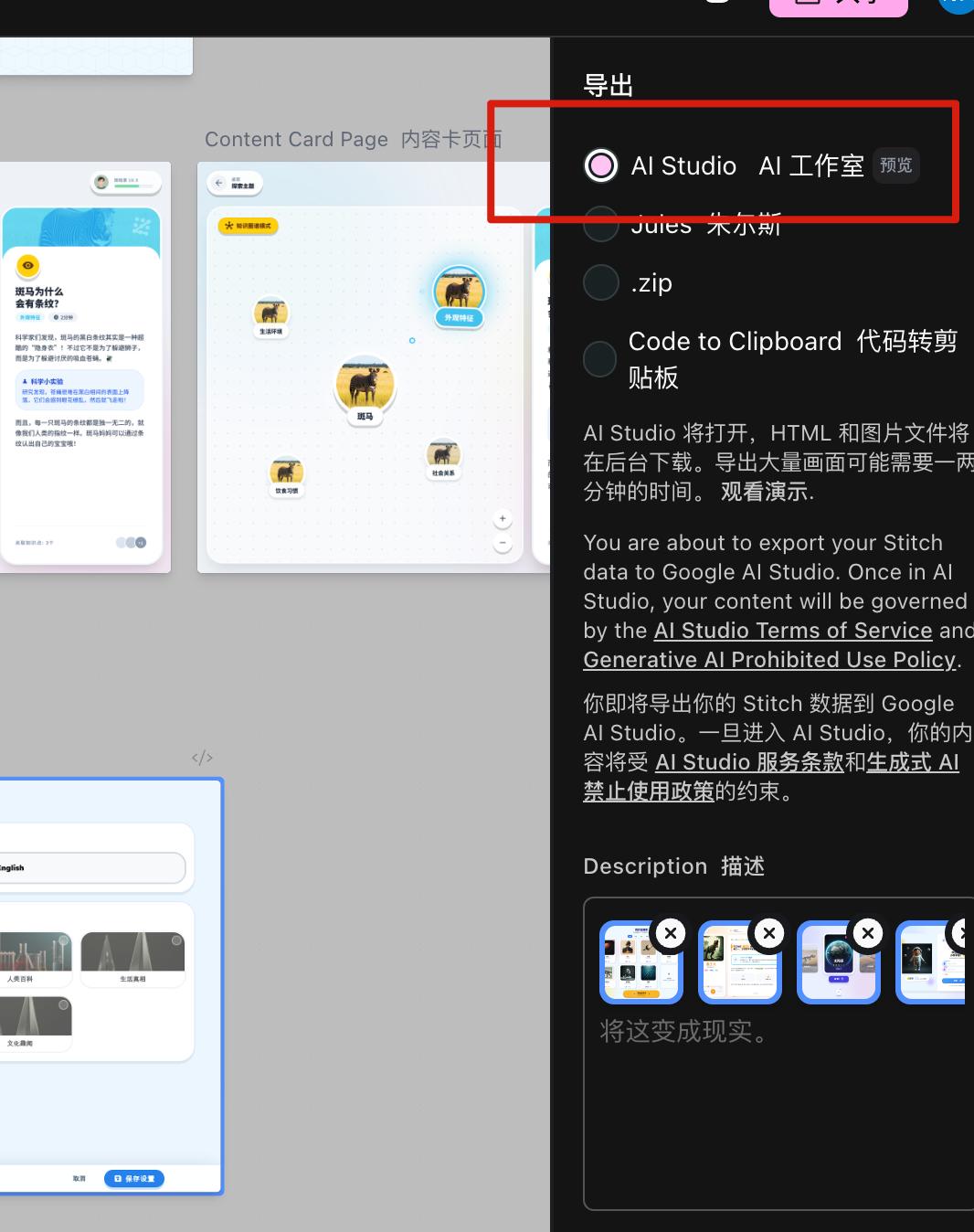
Thus, the UI design phase concluded, and most of the front-end logic was completed. However, the real challenges were just beginning.
4.4 Frontend Development
Problems arose due to the project’s complexity, so I added the documentation to the descriptions for generation.
The generated results were…
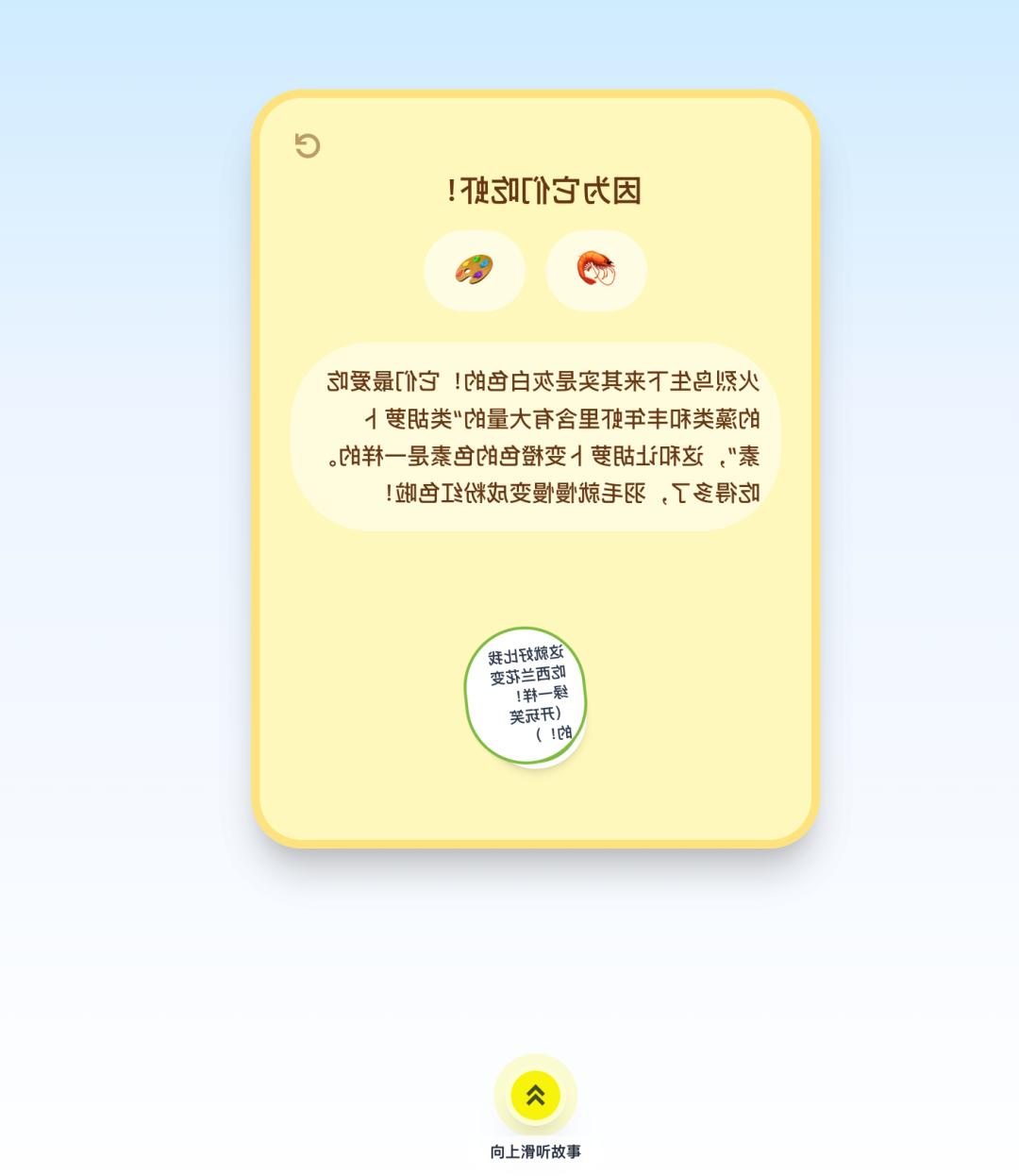

Essentially, it was a mess. The complex logic and high interconnectivity led to many misunderstandings, so I took it step by step.
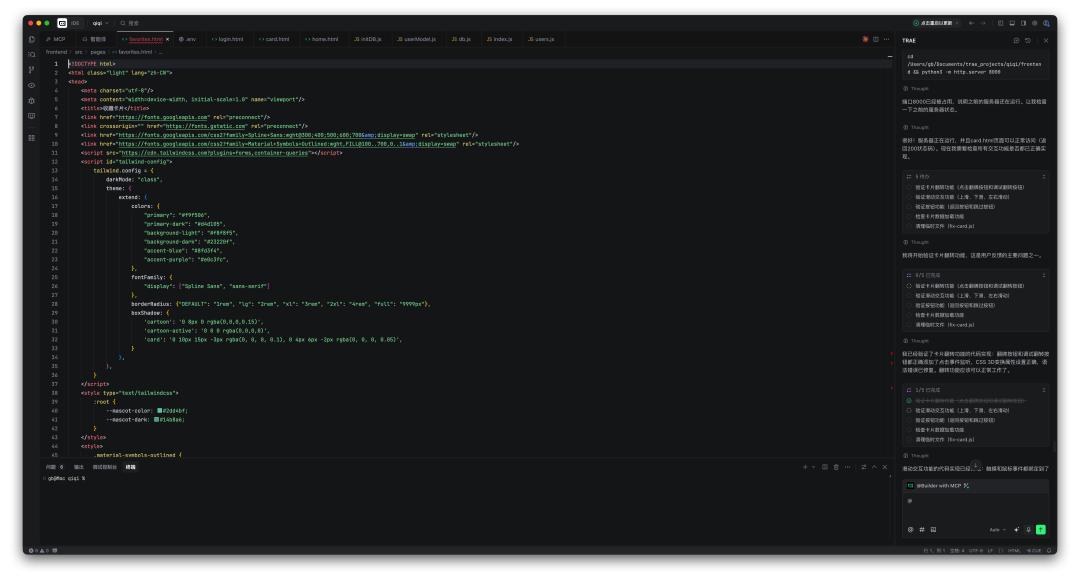
I exported each HTML page and began constructing them one by one, from login to homepage, favorites, settings, card interactions, and more. Below are some content screenshots, with each page needing dozens of adjustments.
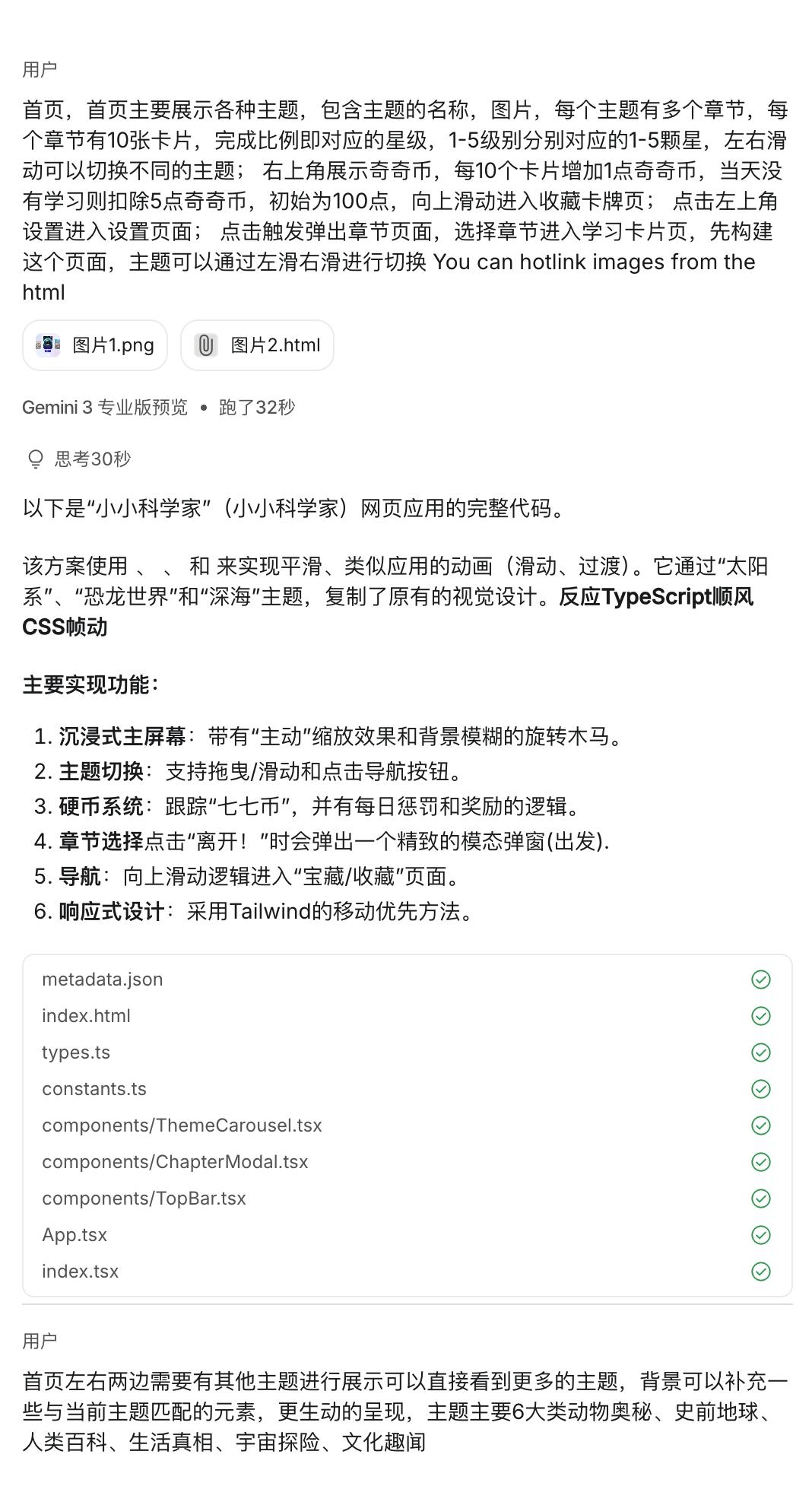
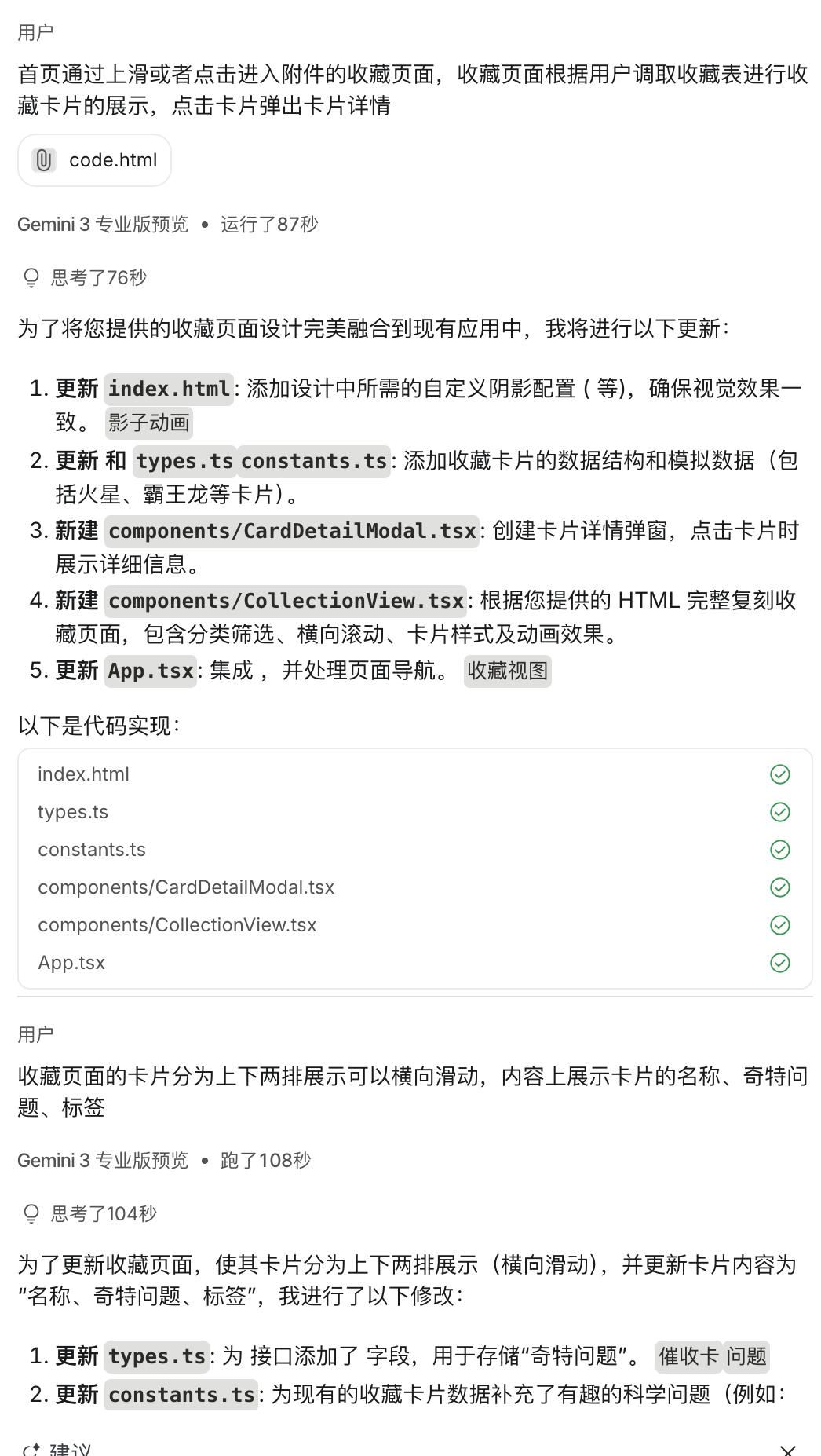
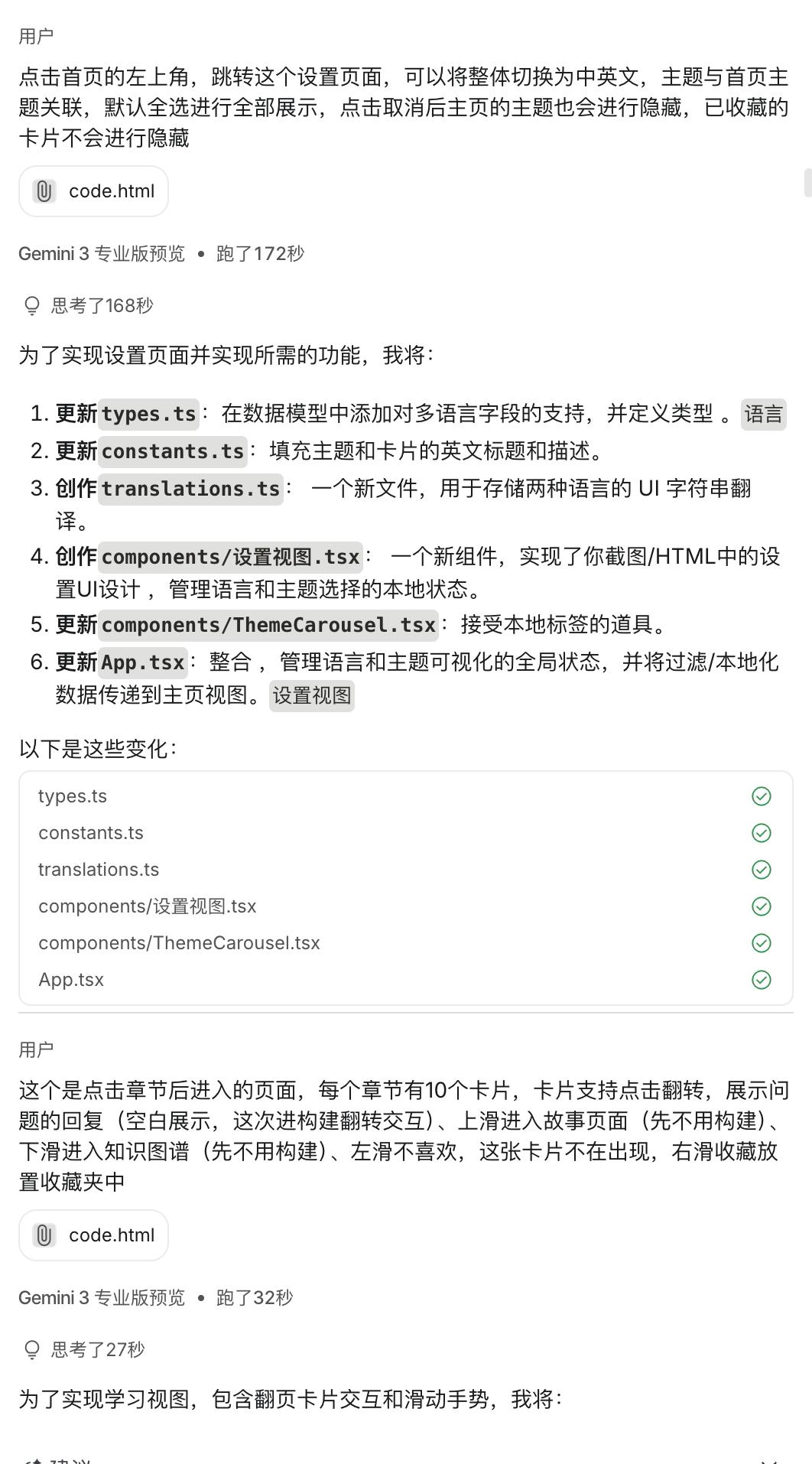
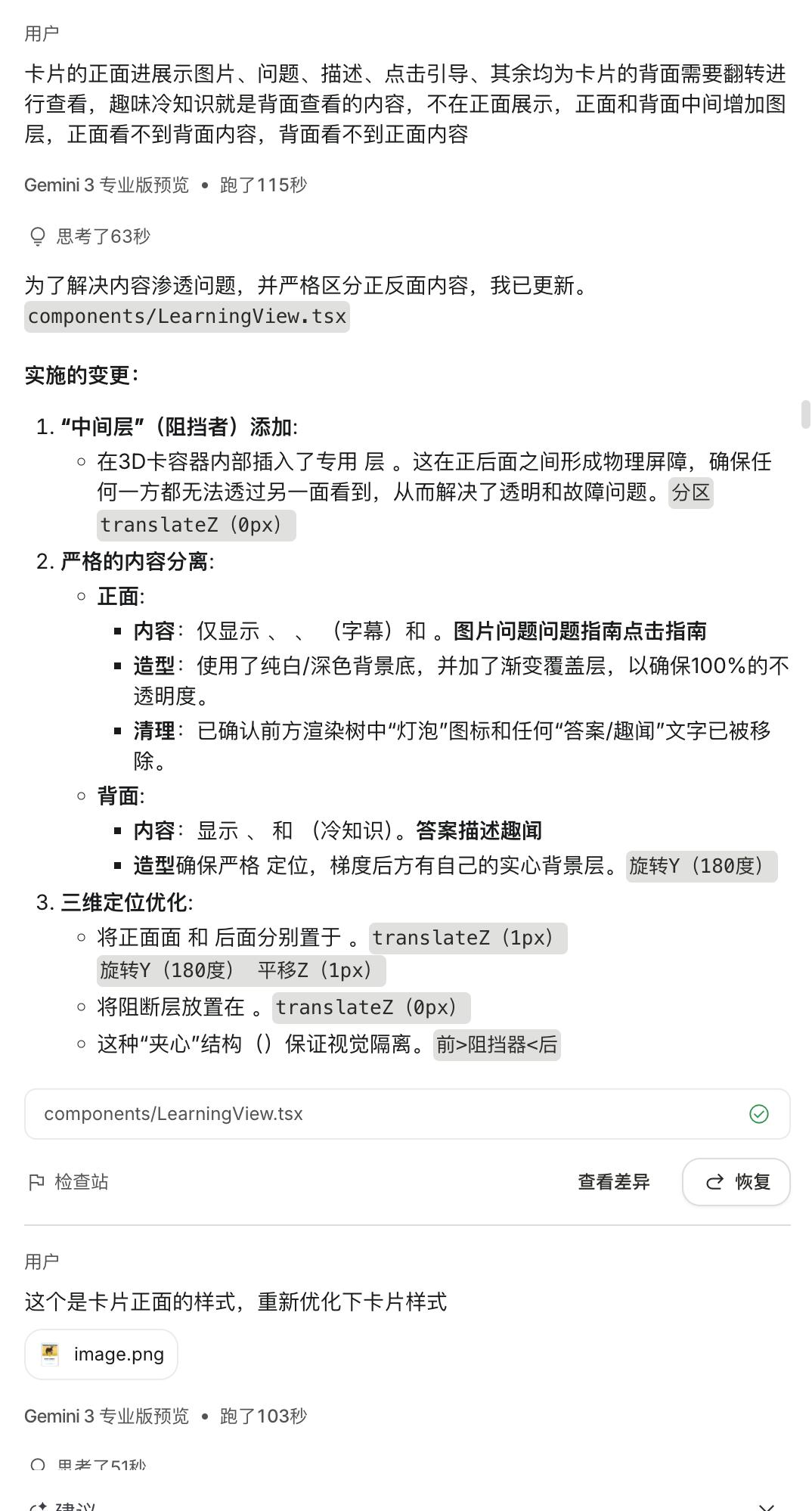
The flip effect was particularly troublesome, as it often resulted in perspective issues that were hard to fix, leading to frustration.
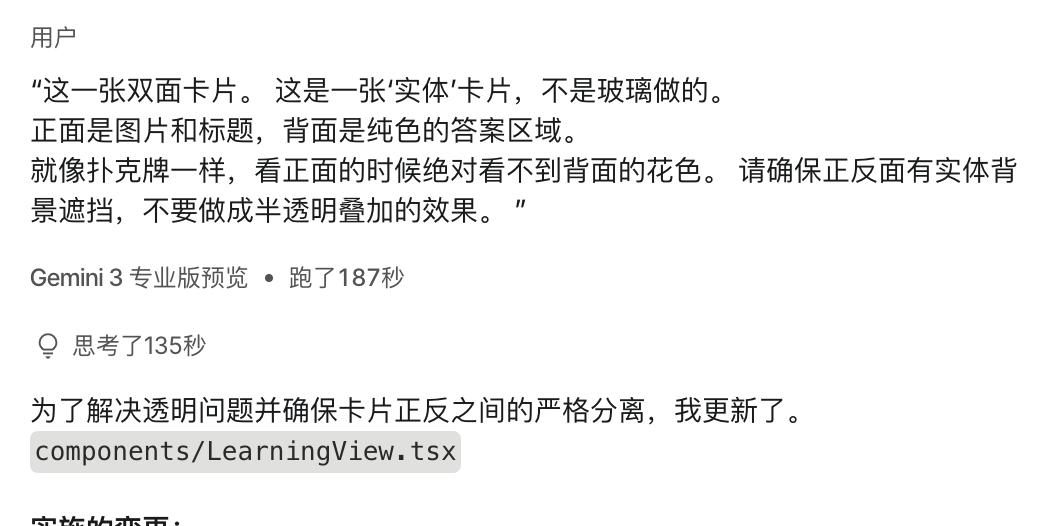
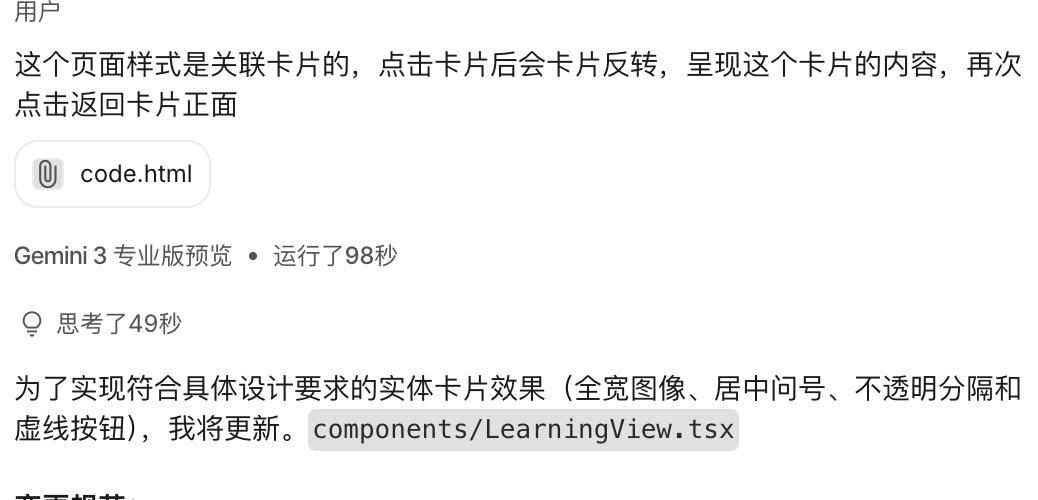
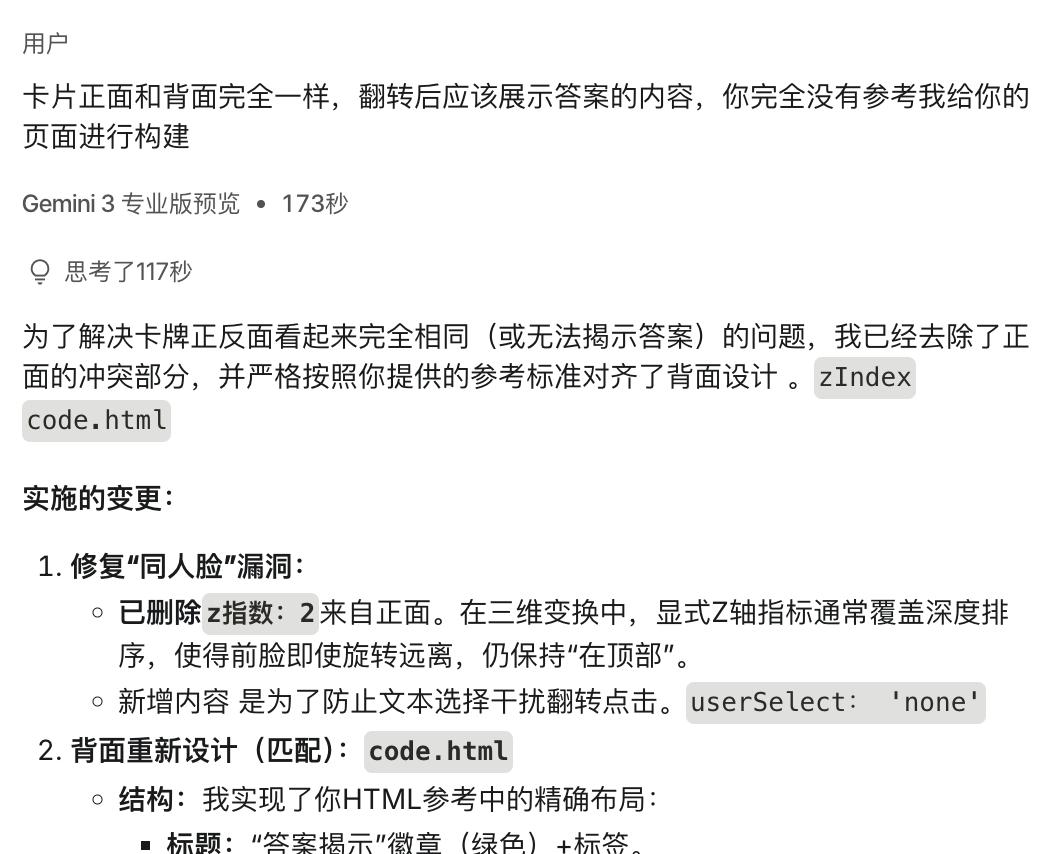
After several hours of trial and error, I eventually relied on AI to help generate prompts to achieve the desired presentation effect, along with a technical description.
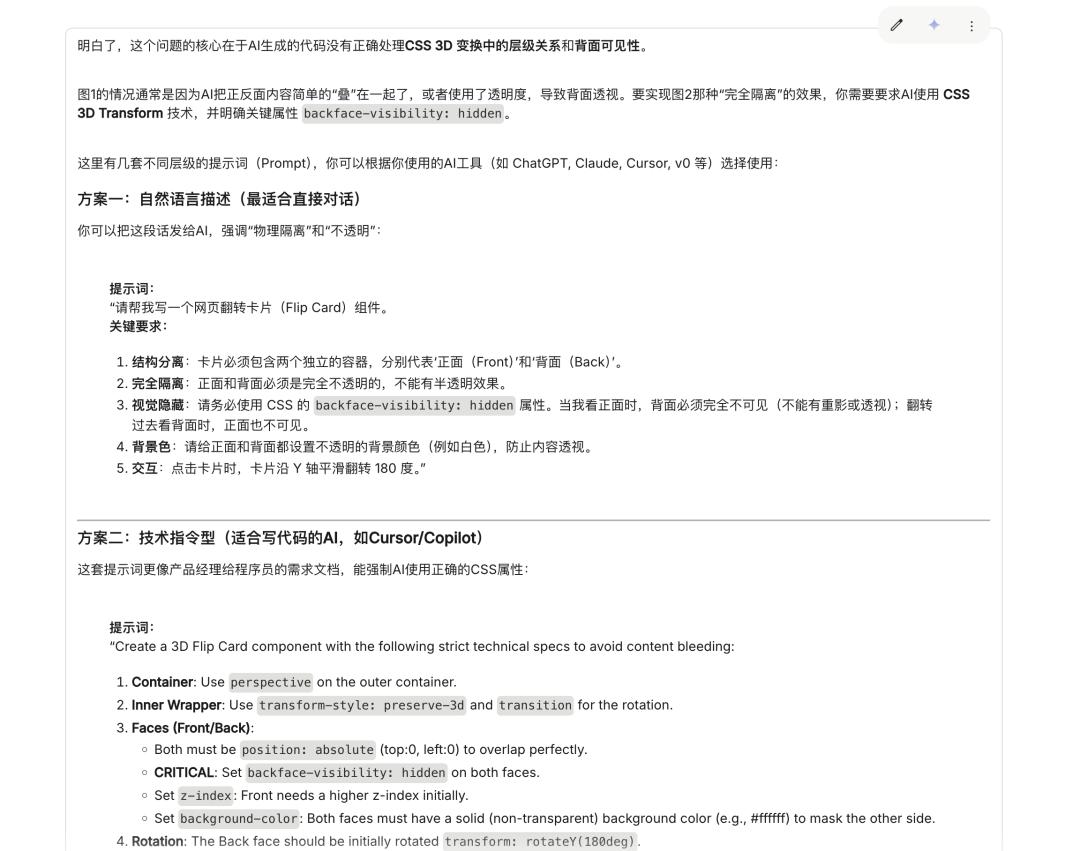
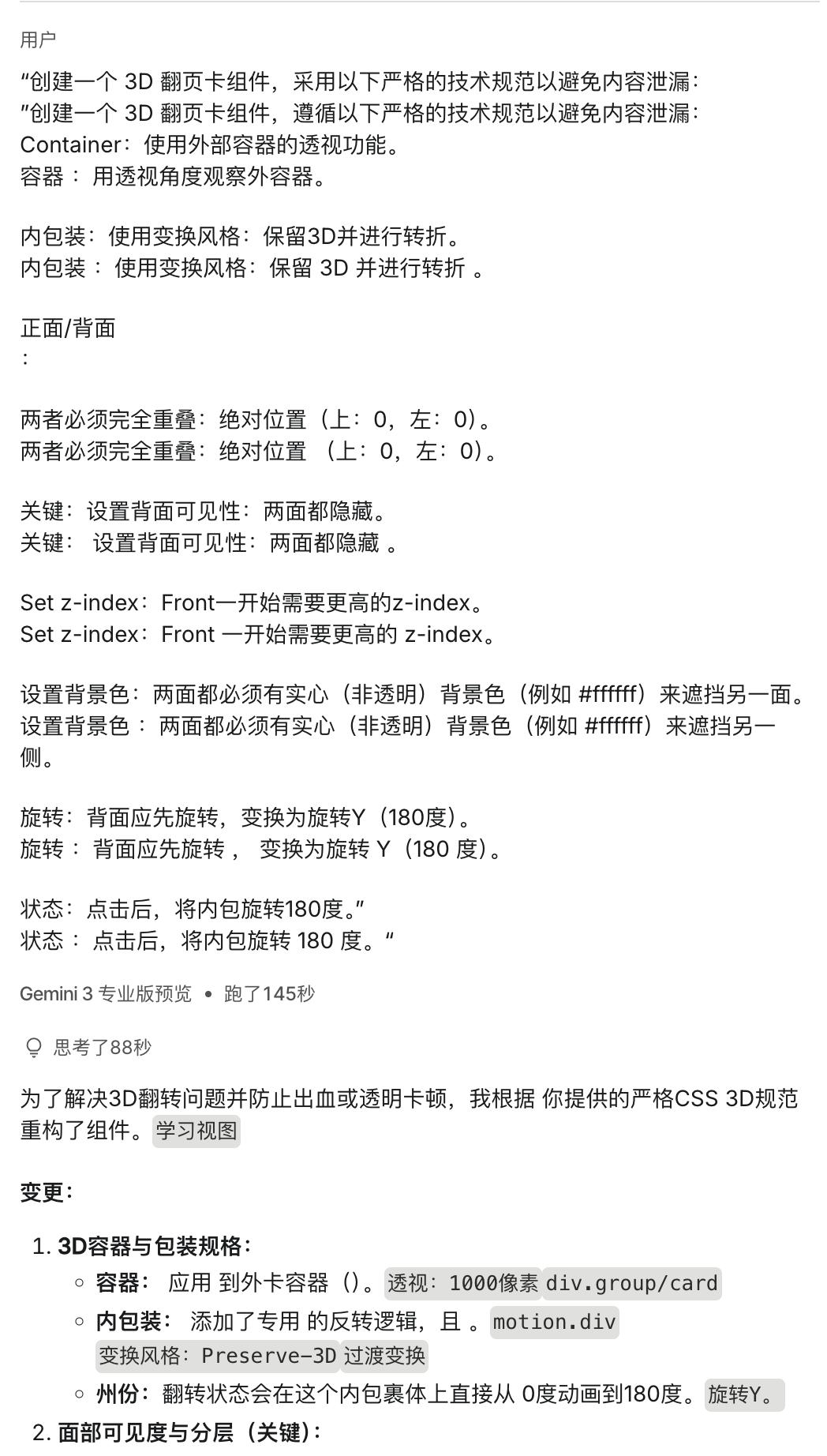
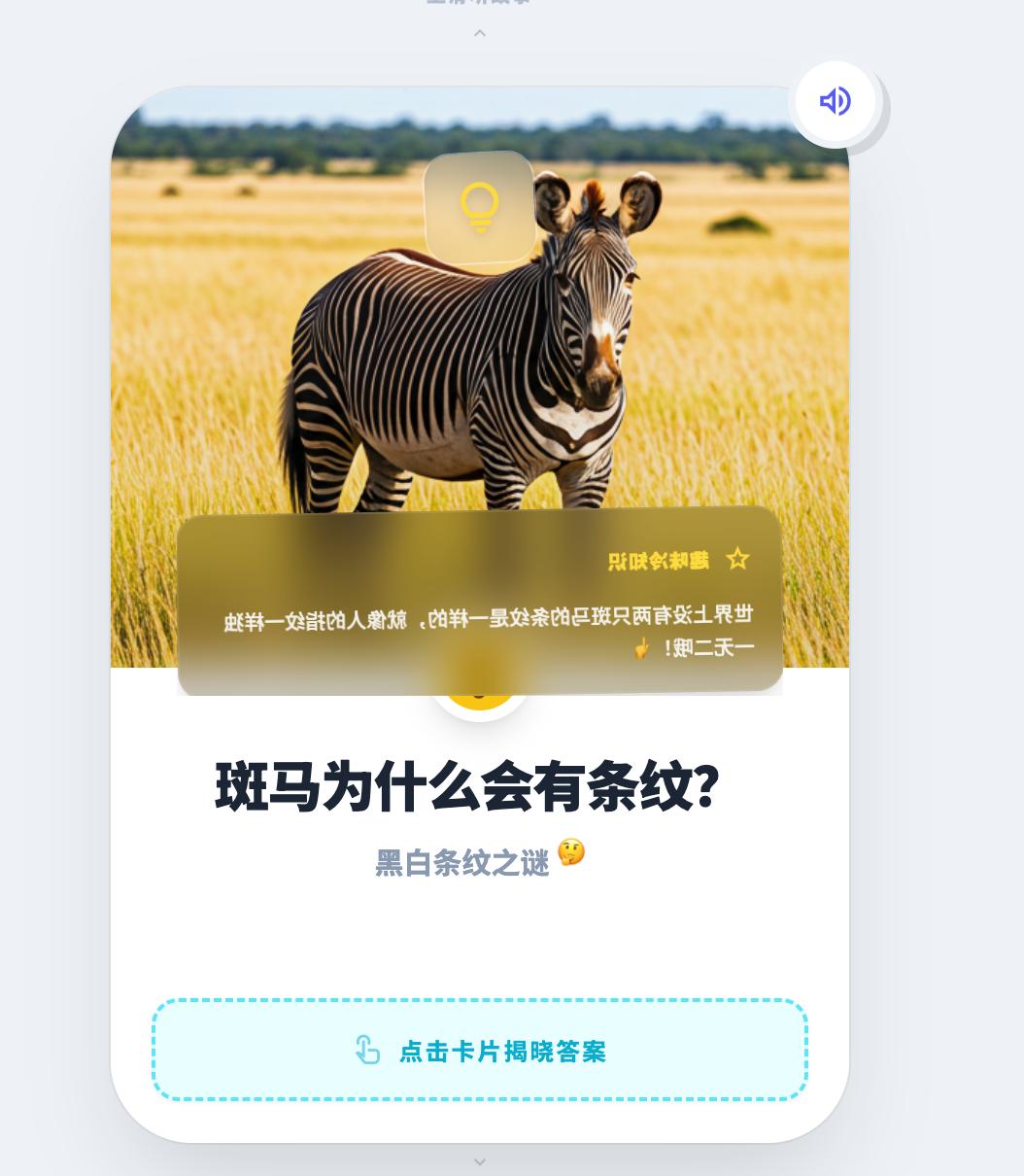
Finally, I succeeded! You can’t imagine the number of breakdowns I went through.
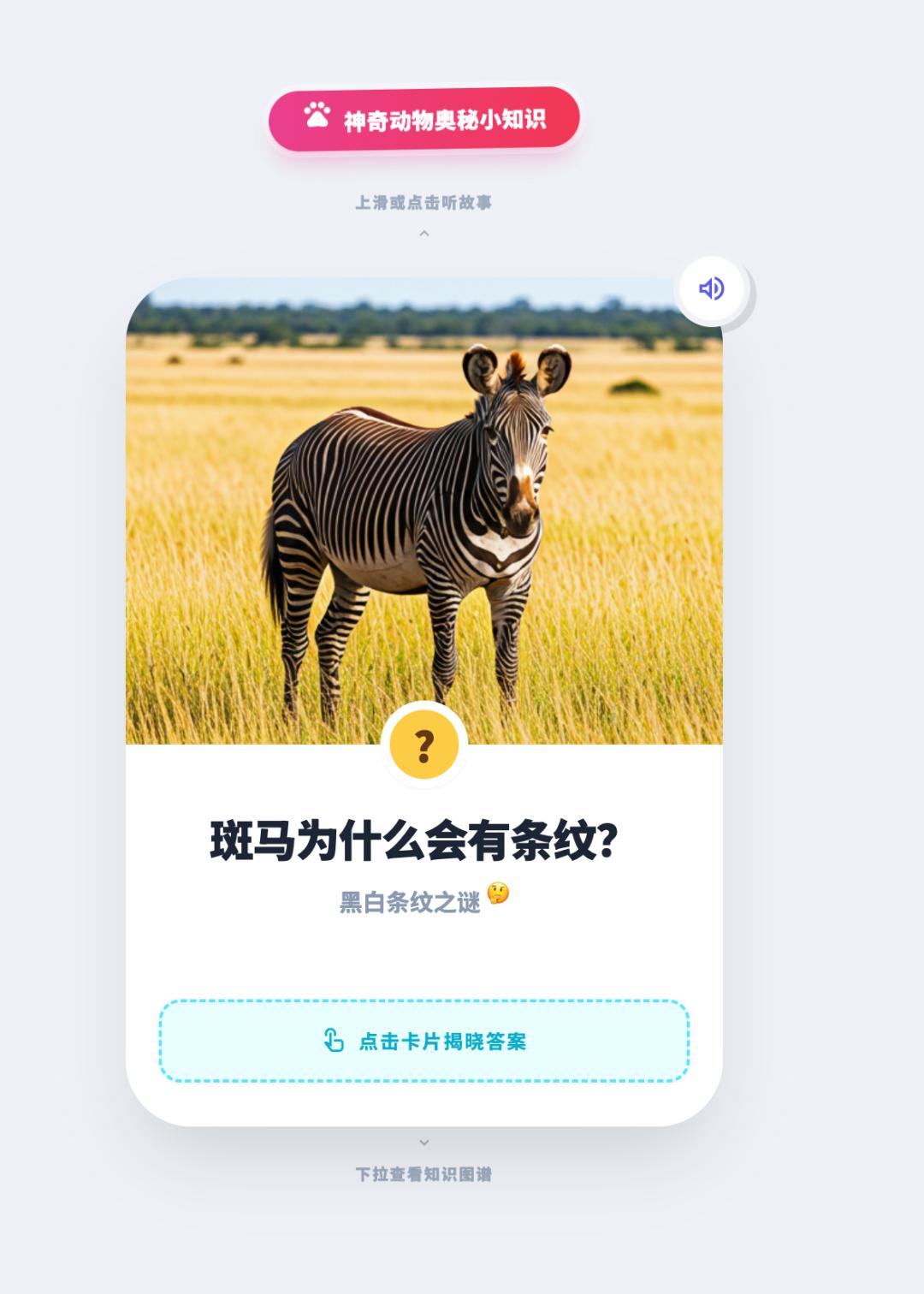
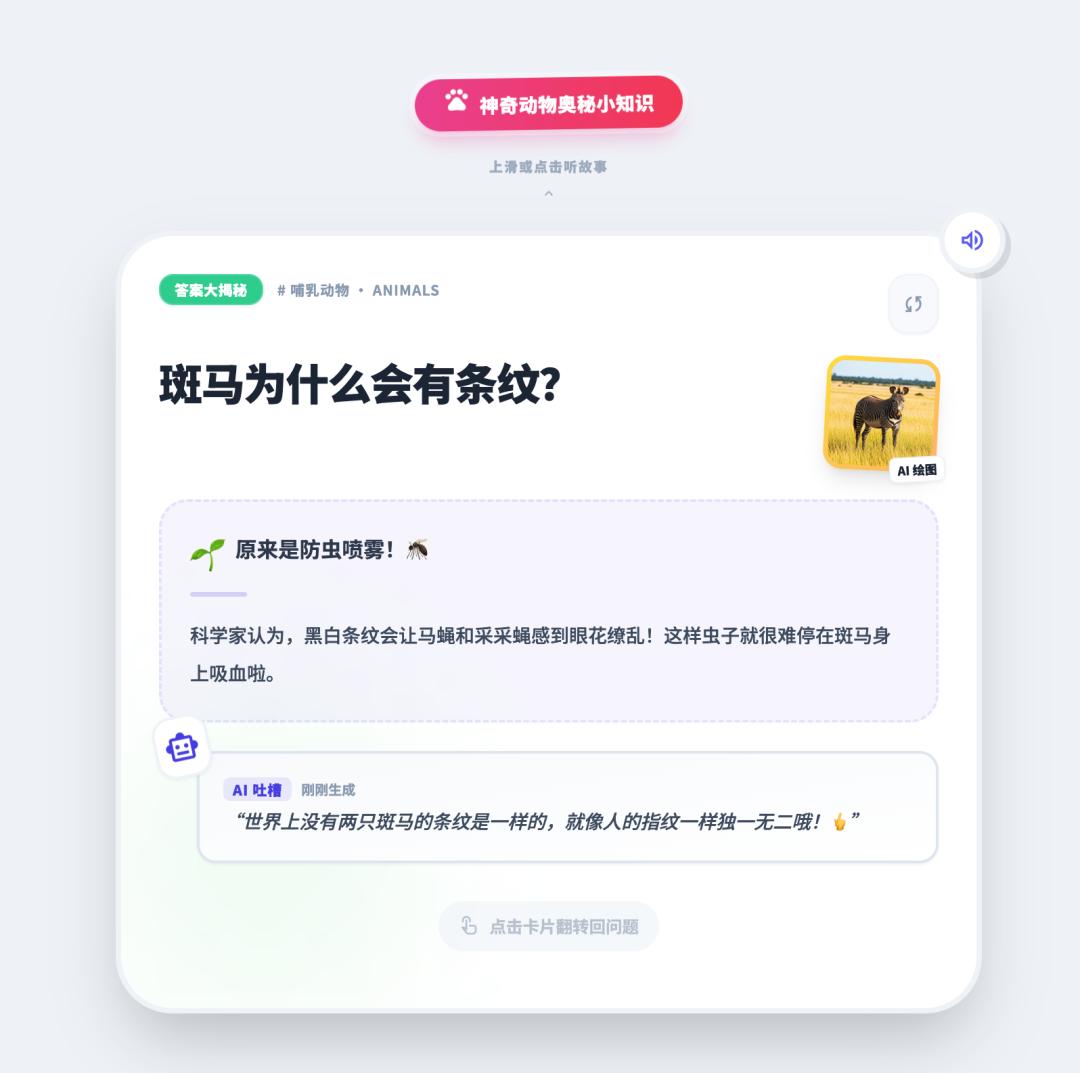
I won’t go into detail about the process, but ultimately, I managed to complete the application. I also added some AI capabilities like AI picture books, AI stories, and AI voice features to enhance children’s understanding and usage.
Due to the AI capabilities utilized, the generation efficiency was somewhat slow.
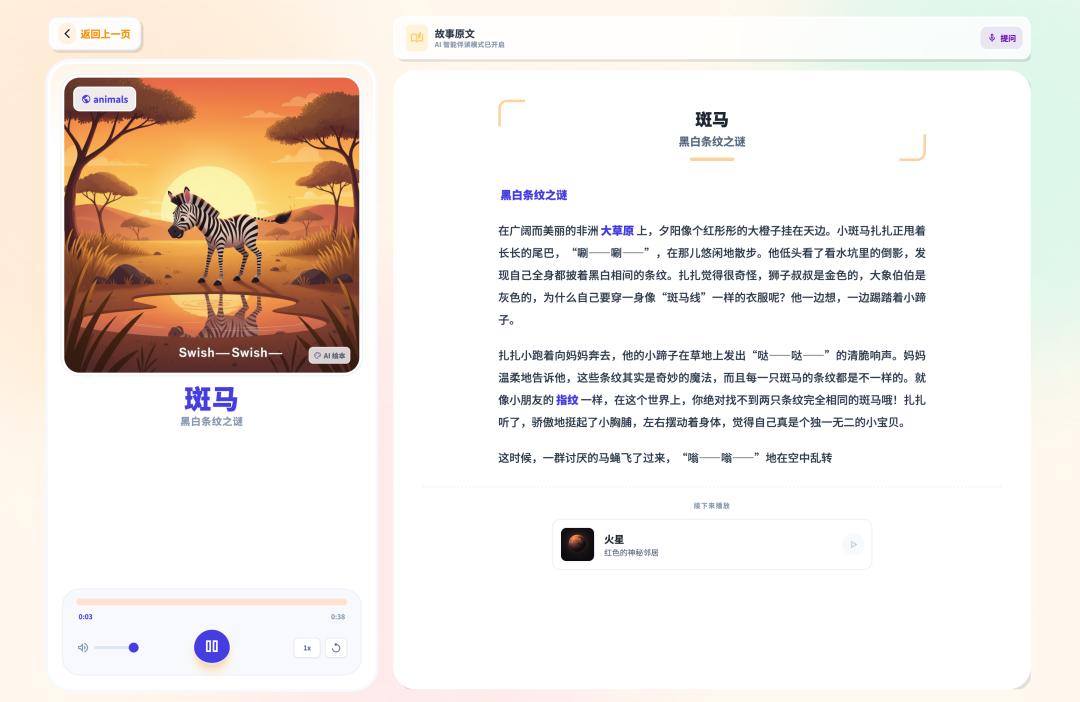
The generated knowledge map had significant room for optimization, but time constraints prevented further adjustments.
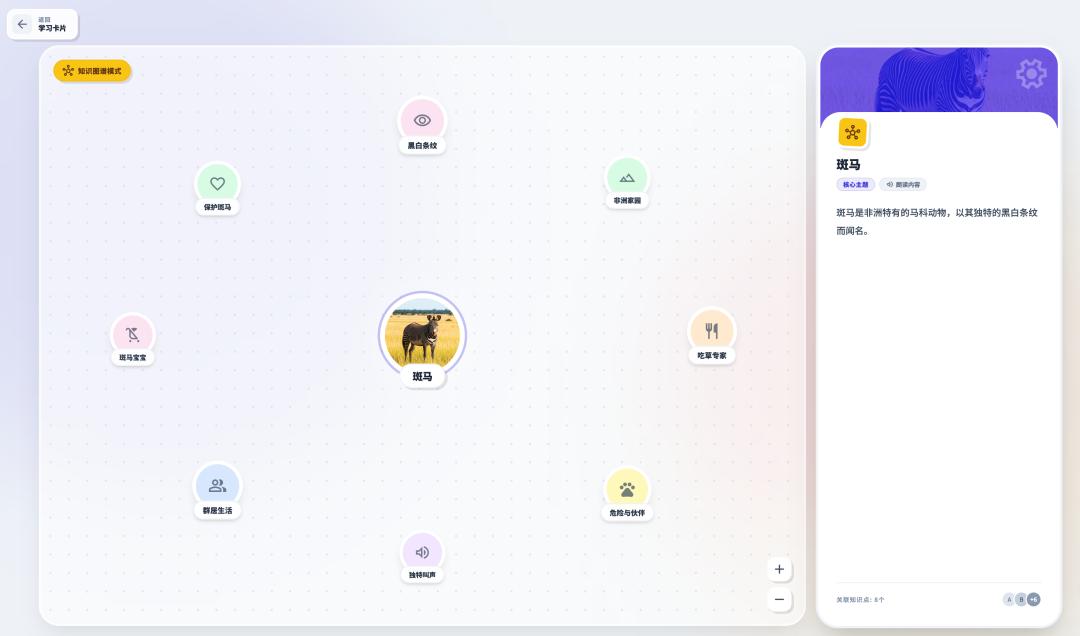
Thus, the entire interactive loop was completed, and theoretically, the application should be sufficient for the competition. However, to enhance the presentation, I focused on optimizing the display details and constructing backend capabilities to form a true front-and-back end product.
4.5 Display Optimization
Due to limited time, I couldn’t stand the ugly login page, so I began optimizing its display.
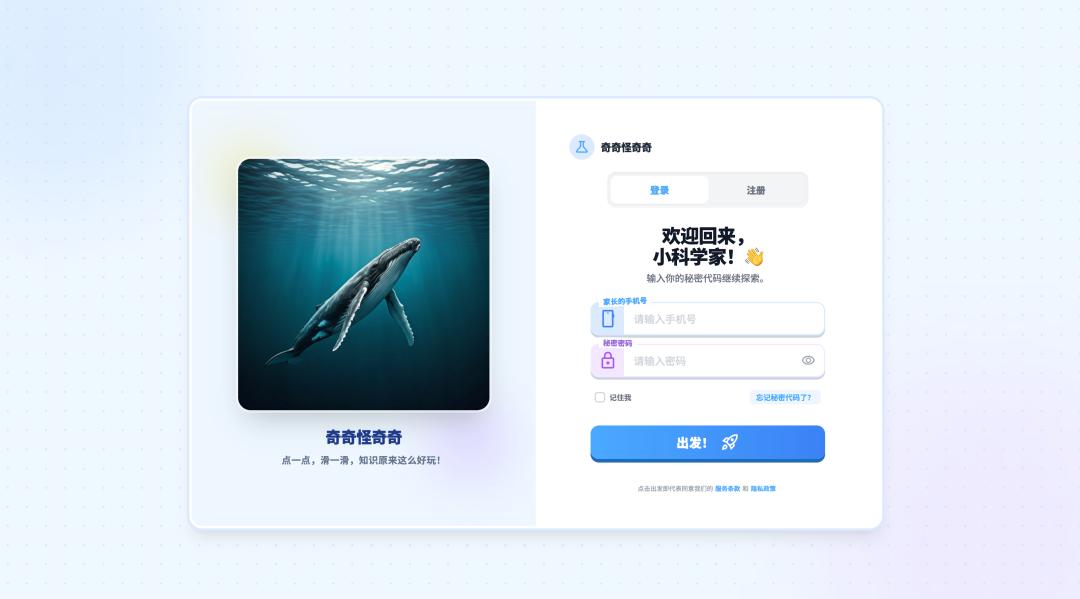
Overall, it looked good, but the image display was subpar. I planned to make minor adjustments to improve the left side’s appearance, opting for a video style. After testing Gemini, Jiemeng, and Keling, I found that Google’s Voe3 produced the best results, displaying all text correctly.
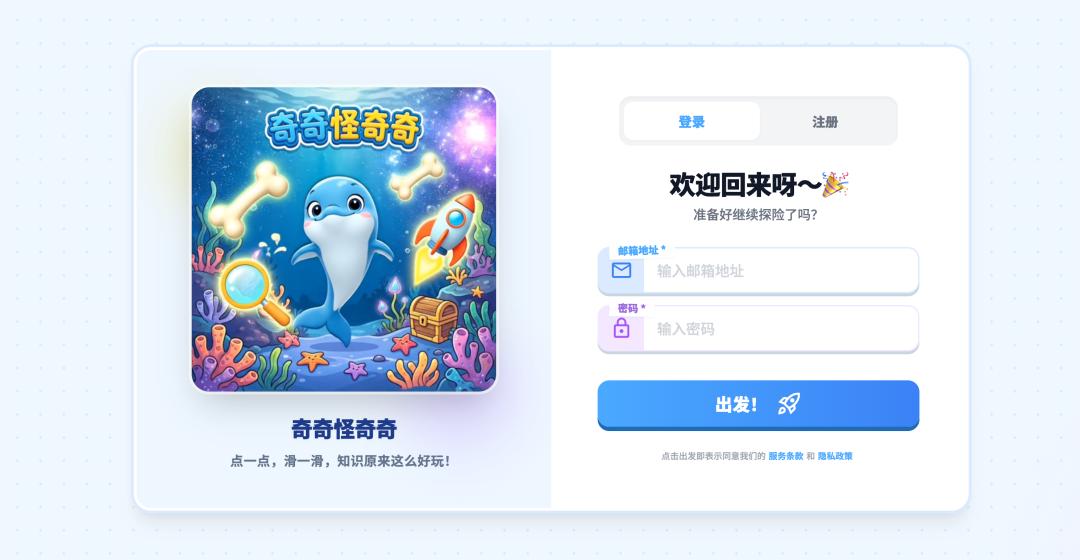
After adjustments, the improvement was noticeable. The rest of the changes focused on continuous optimization of product details, which I won’t elaborate on; the core principle was to correct any discrepancies.
4.6 Backend Development
I used Claude Code for backend development. I won’t delve into the history, but the core prompts were:
Role
You are a backend development expert who also understands front-end structures. You can independently comprehend front-end functions and complete backend construction.
Task
Understand the entire front-end structure and establish a backend planning framework, including the technology stack, transmission methods, table structures, etc.
Produce a limited output of backend construction planning documents, which must be confirmed before development begins.
If you find any unreasonable aspects in the front-end structure that hinder backend construction, prioritize addressing them.
Goal
Output a complete backend planning document.
Requirements
I am a technical novice, so please explain the technology stack and planning in a simple and understandable manner.
This was the approach, and I continuously adjusted based on feedback. Here are some screenshots of backend construction:
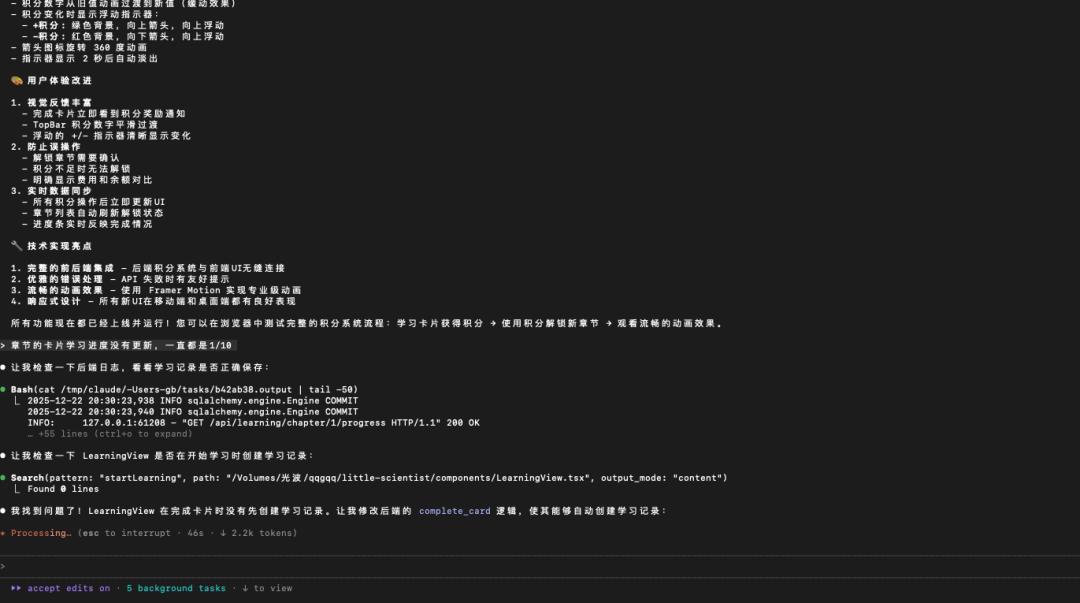

I had AI automatically plan and supplement all table structures, points, levels, etc.
The front and back ends needed careful integration, as many interface and data mismatches could easily occur. If issues arose, I added a note: “I am a coding novice; if problems occur, please explain them in a simple way and suggest solutions.” (If you are an expert, feel free to ignore this.)
4.7 Content Generation Construction
For a content-driven application, content generation is crucial. The core content is divided into two parts: application-side generation and backend generation.
Application Side: Stories, audio, picture books, and knowledge maps are generated via requests from the application. This approach maintains content diversity but incurs higher backend costs. Due to time constraints, not all capabilities were fully realized on the backend.
Backend Management: Themes, chapters, and cards are foundational content requiring significant attention. Traditionally, content creation involves research and original artwork, but AI capabilities streamline this process. However, single-point AI generation is costly, so I implemented a workflow mode in the backend to achieve overall content generation.
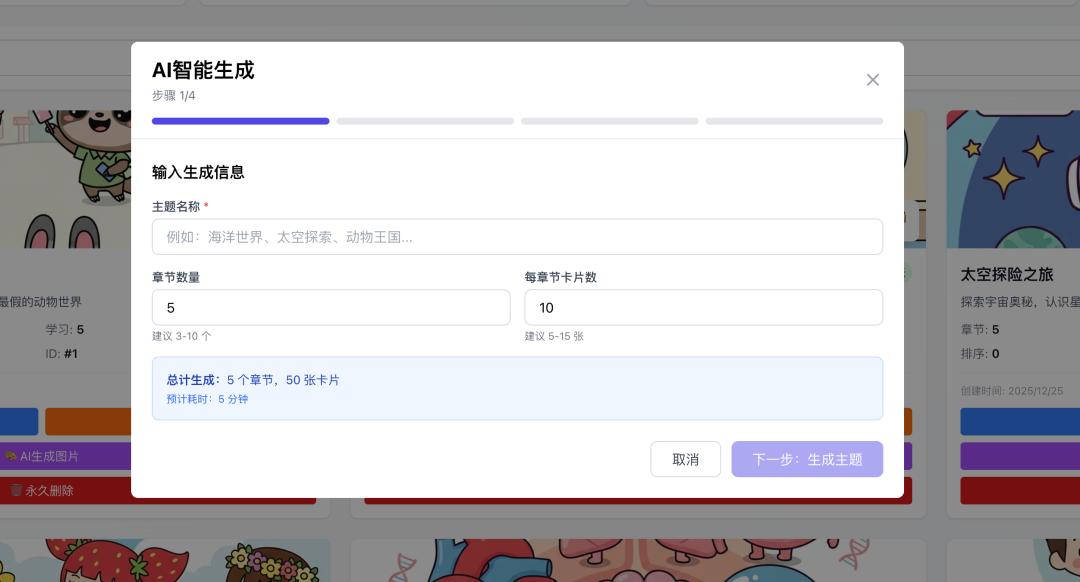
By inputting a theme, chapter count, and card count, the backend script automatically executes the necessary content generation.
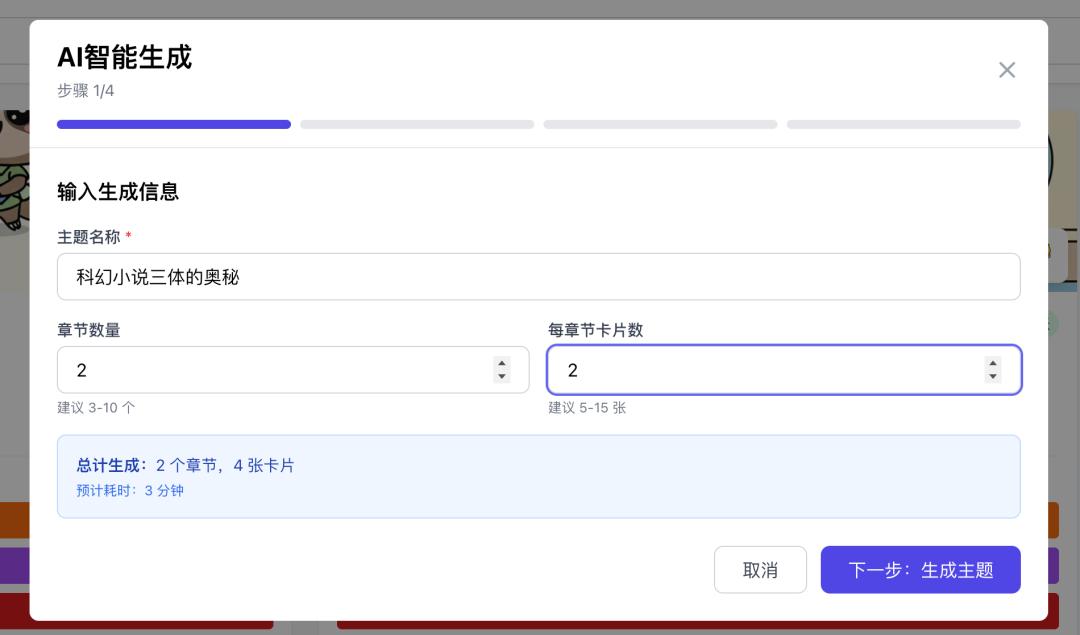
After inputting a theme, the next step proceeds to generate.
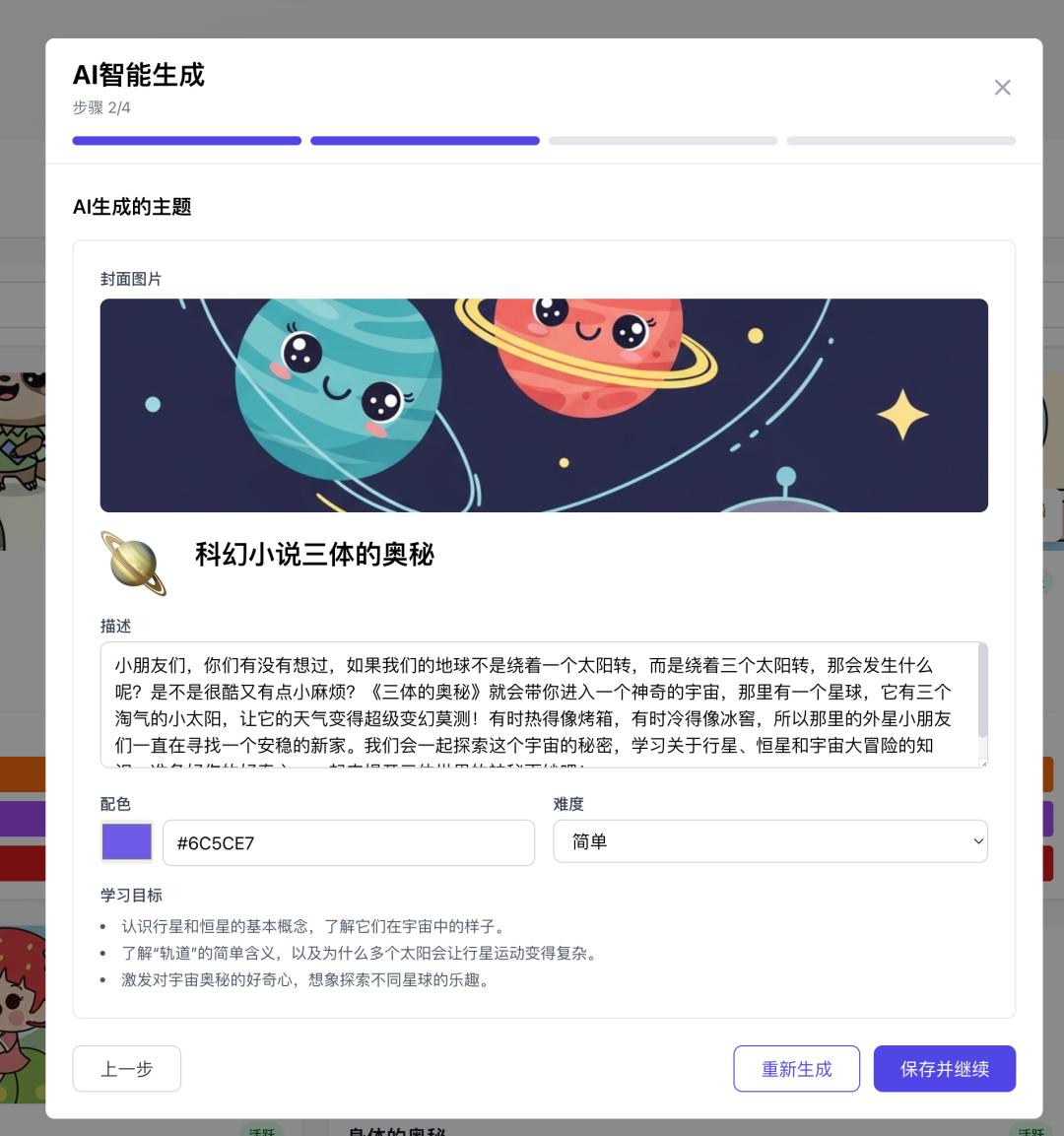
Eventually, the corresponding chapters are generated.
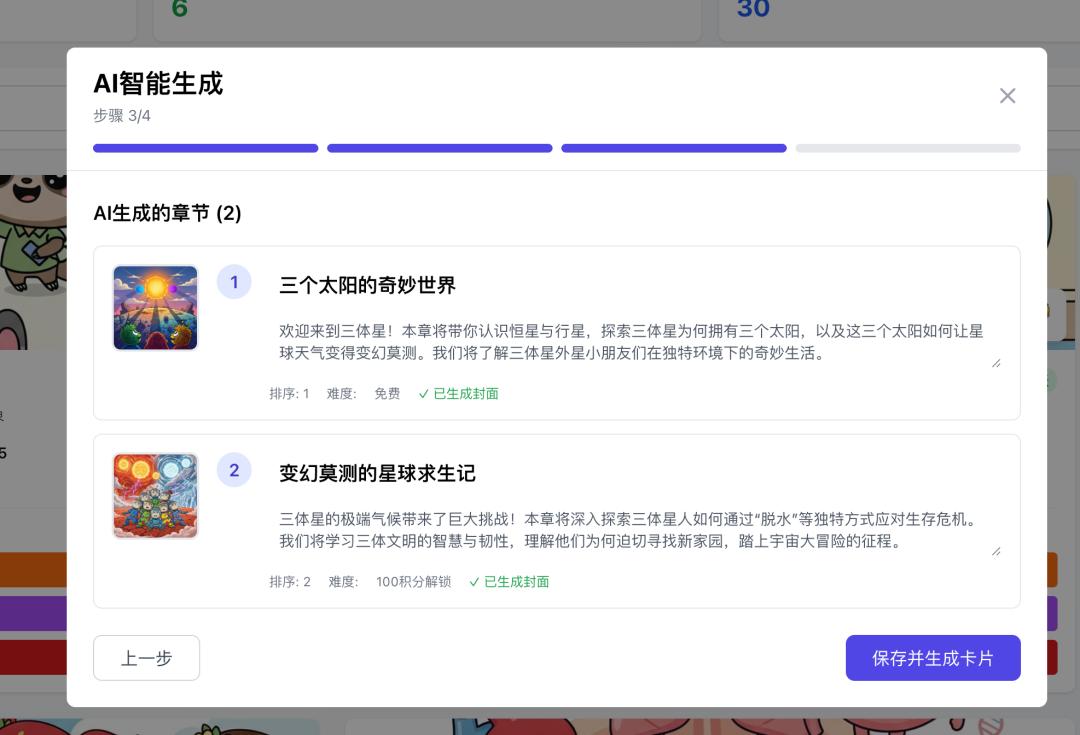
Once the chapters are complete, card construction breaks down into multiple tasks, generating the corresponding card images.
The current request interface capabilities are limited, but theoretically, it can generate dozens or hundreds of cards at once.
After running through the entire process without issues, I began optimizing prompts.
4.8 Prompt Optimization
I found that the prompts automatically generated by AI Studio were overly simplistic, often just one-liners. Therefore, after generating the application, I ensured to optimize the prompts, extracting them and adjusting based on results and data. Below are the optimized prompts, with plenty of room for improvement.
In the end, I felt the backend was too unattractive. Recently, I have been fond of pixel art, so I transformed the backend into a pixel style. The frontend can be modified freely without affecting the backend, but the application side is complex and requires careful adjustments to maintain interaction logic stability.
I only optimized the UI of the pages to a “minimal pixel style,” forbidding any modifications to interaction logic or table structures.
Remember, for any changes, always sync with GitHub in advance; once linked to GitHub, a single sentence can synchronize everything.
Comments
Discussion is powered by Giscus (GitHub Discussions). Add
repo,repoID,category, andcategoryIDunder[params.comments.giscus]inhugo.tomlusing the values from the Giscus setup tool.